

Base64 turns raw binary data into 64 printable ASCII characters so it can survive text-only channels like JSON, email, and URLs. Use it when a transport or storage format demands text, not before, since it inflates payload size by about 33% and offers zero confidentiality. It is an encoding scheme, not encryption, and treating it as either is the most common mistake developers make with it.
TL;DR:
- Base64 inflates payloads by about 33% and is only suitable for encoding, not securing, binary data for text-only transport scenarios.
- URL-safe Base64 variants replace
+and/with-and_, and often omit padding to avoid issues in URLs and filenames.- Decoding errors commonly result from incorrect padding, mixed variants, or improper UTF-8 handling, making validation essential before processing.
- For binary data over interfaces like JSON, compressing before Base64 encoding can offset the size increase, especially for larger payloads.
- Use dedicated tools or language libraries to verify encoding, and always specify the variant used to prevent invalid character errors during decoding.
Table of Contents
- Base64 Encoding Guide: The Alphabet, Padding, and the Math
- Which Base64 Variant Should You Use?
- When Should You Actually Use Base64?
- How Do You Encode and Decode Base64 in Code?
- Why Do Base64 Decode Errors Happen?
- What Tools Help You Verify Base64 Encoding Fast?
- Verify Base64 Instantly With Pingfloat's Free Tools
- Rules of Thumb Worth Following
- Check Your Encoding Without Writing a Script
- Where to Read the Full Specification
- Sources
- FAQ
Base64 Encoding Guide: The Alphabet, Padding, and the Math
Base64 works by regrouping bits, not bytes. It takes three 8-bit bytes (24 bits total), splits them into four 6-bit chunks, and maps each chunk to one character in a 64-character set. That's the entire trick behind every base64 encoding guide you'll find: 3 bytes in, 4 characters out, every time.
The standard alphabet, defined in RFC 4648, consists of:
- Uppercase letters A through Z (26 values)
- Lowercase letters a through z (26 values)
- Digits 0 through 9 (10 values)
- Plus
+and slash/(2 values), totaling 64
When your input length isn't a clean multiple of 3 bytes, the encoder pads the output with the = character so the result always lands on a 4-character boundary. One trailing = means the last group represented only 2 real bytes; == means it represented just 1. This padding behavior, along with the full mapping table, comes straight from MDN's Base64 reference.
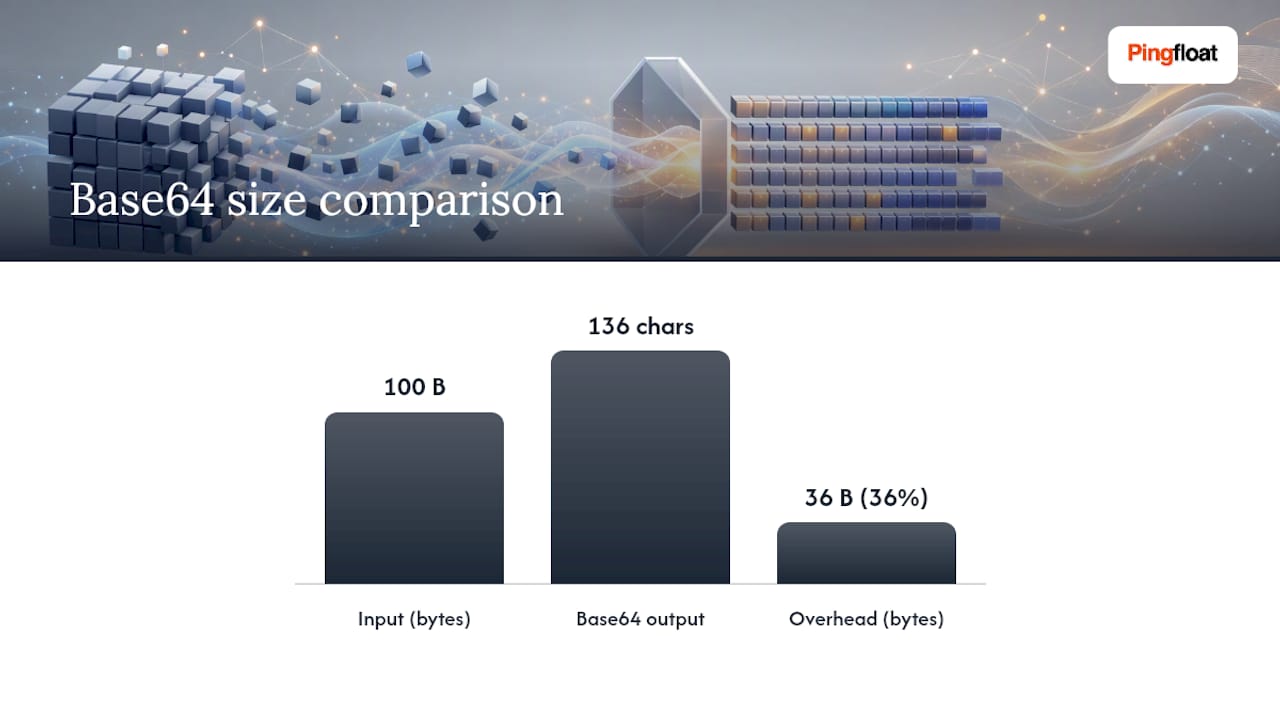
Calculating output size is simple math: take your byte count, divide by 3, round up, then multiply by 4. A 100-byte file becomes roughly 136 Base64 characters. That 33% to 37% overhead is the tradeoff you're accepting every time you reach for this encoding, and it never gets smaller for larger payloads.
Which Base64 Variant Should You Use?
Standard Base64 breaks in URLs and filenames because + and / carry special meaning there. Base64url, defined in the same RFC 4648 spec, swaps those two characters for - and _, and often drops the = padding entirely since the context (like a fixed-format token) makes length inference unnecessary.
Here's how the major variants split:
- Standard Base64: uses
+and/, always padded. Safe for JSON string values, data URIs, and general text embedding. - Base64url: uses
-and_, padding optional. This is what JWTs use for the header, payload, and signature segments. - MIME (RFC 2045): inserts line breaks every 76 characters and requires padding. Used in email attachments and some certificate formats.
- PEM: similar line wrapping to MIME, standard alphabet, required padding. Used for X.509 certificates and cryptographic keys.
The practical rule: pick one variant per interface and normalize at the boundary. Mixing standard and URL-safe alphabets in the same pipeline is the single most common cause of "invalid character" decode failures, and it's entirely avoidable with a five-minute code review.
When Should You Actually Use Base64?
Base64 earns its place in a handful of specific scenarios: embedding binary inside a JSON field, building data URIs for inline images, attaching files over MIME-based email, encoding JWT segments, and wrapping certificate data in PEM format. In every one of these, the transport layer or format spec is ASCII-only, and Base64 is the accepted bridge.
It's the wrong tool in a few common situations too:
- Hiding secrets from anyone who might look. Base64 is trivially reversible in one line of code.
- Storing large binary blobs in text database columns "because it's easier." The 33% overhead compounds fast at scale.
- Using it anywhere a binary transport already exists and would work fine untouched.
For payloads in the single-digit megabyte range, the size penalty is a rounding error. Above roughly 1 to 10 MB, that overhead becomes measurable in bandwidth and storage cost, and it's worth reconsidering the approach entirely.
Pro Tip: If you're embedding compressible binary (like uncompressed images or logs) inside JSON, gzip it before Base64 encoding. Compression often offsets most of the 33% overhead, especially on text-like or repetitive binary data.

How Do You Encode and Decode Base64 in Code?
Every mainstream language ships Base64 support in its standard library, but the gotchas differ by platform.
-
JavaScript: The old
btoa()/atob()pair only handles Latin-1 strings safely. Feeding it Unicode text directly causes silent corruption or thrown errors, a problem MDN documents explicitly. The safe modern approach converts text to bytes first:new TextEncoder().encode(str)produces aUint8Array, which you then Base64-encode. For decoding, reverse withTextDecoder. Some newer runtimes now expose directUint8Arrayto/from Base64 helpers, which sidesteps the string conversion step entirely. -
Python: The base64 module gives you
base64.b64encode()andbase64.b64decode()for the standard alphabet, plusurlsafe_b64encode()/urlsafe_b64decode()for the URL-safe variant. Remember that these functions operate on bytes, not strings; you'll need.encode('utf-8')going in and.decode('utf-8')coming out if you're working with text. -
Go: The
encoding/base64package exposesStdEncodingandURLEncodingas separate encoder objects, so the variant choice is explicit at the call site rather than a flag you might forget. For large files, Go'sbase64.NewEncoder()wraps anio.Writerfor streaming, avoiding the need to hold the entire payload in memory at once.
Always test with a known vector, encode a fixed string, confirm the output matches a reference value, and you'll catch alphabet or padding mismatches before they reach production.
Why Do Base64 Decode Errors Happen?
Padding errors are the most common failure mode. If a decoder receives a string whose length isn't a multiple of 4, or whose padding doesn't match the actual byte count, most strict decoders reject it outright. RFC 4648 also flags a subtler issue: some decoders reject non-zero trailing bits in the final 6-bit group, while others silently tolerate them. If you're concatenating encoded strings from different sources, this inconsistency can produce data that decodes differently depending on which library you use.
Quick diagnostic checklist:
- Length not divisible by 4: you're missing padding, or you've mixed a padding-optional variant with a strict decoder.
- Invalid character error: you're feeding a Base64url string (with
-/_) into a standard decoder, or vice versa. - Garbled Unicode output: you skipped the UTF-8 byte conversion step before decoding in JavaScript.
On security: Base64 provides zero confidentiality. Imperva's research on attacker behavior notes that Base64 is a favorite obfuscation trick precisely because it's reversible and unremarkable to signature-based filters, not because it hides anything from a determined defender. If you need actual confidentiality, use AES-GCM or a dedicated secrets manager, never an encoding scheme.
Base64 overhead sits at a flat 33% regardless of payload size, per MDN's documented ratio of 4 output characters for every 3 input bytes. That number doesn't shrink with scale, which is exactly why it matters more as your payloads grow.
What Tools Help You Verify Base64 Encoding Fast?
You don't need a full IDE to sanity-check a Base64 string. Command-line tools handle most everyday verification:
echo -n "text" | base64andbase64 -dfor quick round-trips on Linux and macOS.openssl base64 -d -in file.txtwhen you want OpenSSL's stricter validation.python -m base64 -d file.txtto lean on Python's decoder directly from the shell.
In the browser, open DevTools and run TextDecoder/TextEncoder chains rather than raw atob()/btoa() if the string might contain non-Latin-1 characters. For CI pipelines, add automated assertions that check the decoded length is a multiple of 4, that every character belongs to the expected alphabet, and that the variant (standard vs. URL-safe) matches what the interface contract specifies.
Pro Tip: Build a one-line regex check into your test suite: ^[A-Za-z0-9+/]*={0,2}$ for standard Base64, or the URL-safe equivalent with -_. It catches variant mismatches before they become a 2 a.m. production incident.
Verify Base64 Instantly With Pingfloat's Free Tools
Debugging a Base64 mismatch by eye is slow and error-prone, especially when padding or alphabet variants are the culprit. Pingfloat's Base64 Decode & Encode tool lets you paste a string and see the decoded output immediately, catching padding and variant issues without writing a throwaway script.
If the string in question is a JWT, the JWT Decoder breaks out the header and payload segments automatically, since those are Base64url under the hood. And when you're embedding a Base64 blob inside a JSON field, the JSON Formatter confirms the surrounding structure is valid before you chase a phantom encoding bug.
Rules of Thumb Worth Following
Prefer binary transport whenever the interface allows it. Reach for Base64 only when the channel is genuinely text-only, and write down which variant you picked so the next developer doesn't guess wrong. Add a unit test asserting length and alphabet on every encode/decode boundary. Keep it contained to the interface that requires it, and watch payload size as your data grows.
— Andreas
Check Your Encoding Without Writing a Script
There are other routes to verify Base64: a Python REPL, a browser console, a quick shell one-liner. All work, but they mean context-switching away from what you're actually debugging. Pingfloat's Base64 Encoder / Decoder is a free, no-install tool that handles standard and URL-safe variants instantly in your browser, so you can paste a suspect string and see the decoded result in seconds.

It pairs naturally with the JWT Decoder for token debugging and the JSON Formatter when Base64 values are nested inside API payloads. All of Pingfloat's tools run without an account or installation, so the next time a decode error surfaces mid-debug, open the Base64 tool and paste the string straight in. For broader network and site health checks, the full tool suite covers uptime monitoring, SSL verification, and traceroute diagnostics too.
Where to Read the Full Specification
For anything beyond everyday use, go to the primary sources. RFC 4648 is the normative specification, complete with test vectors and strict decoding rules for edge cases. MDN's Base64 glossary entry covers the developer-facing gotchas, especially around JavaScript's atob()/btoa() limitations. The Python base64 module docs detail library-specific behavior, including URL-safe helpers and MIME line-break handling. If security is your angle, VPS Snaps' security coverage offers a wider perspective beyond encoding-specific concerns.
Sources
- Base64 - Glossary - MDN Web Docs
- RFC 4648 — Base-N Encodings
- base64 — RFC 3548/4648 interfaces — Python 3 documentation
- The catch-22 of Base64 attacker dilemma (Imperva blog)
- Gogood
FAQ
How Do You Encode Something in Base64?
Take your input, convert it to bytes if it's text (UTF-8 is standard), then group those bytes in sets of three and map each 6-bit chunk to a character from the 64-character alphabet. In practice, you'd call a library function like Python's base64.b64encode() or use Pingfloat's Base64 tool rather than doing the bit math by hand.
What Does == Mean in Base64?
The == at the end of a Base64 string is padding, indicating the final 6-bit group represented only 1 real byte instead of the usual 3. A single = means 2 bytes were represented; no padding means the input divided evenly into 3-byte groups.
What Are the 64 Characters in Base64?
The standard alphabet is A through Z, a through z, and 0 through 9, plus + and /, for exactly 64 symbols as defined in RFC 4648. The Base64url variant swaps + and / for - and _ to stay safe inside URLs and filenames.
Why Do Attackers Sometimes Use Base64?
Base64 is reversible and unremarkable, which makes it a convenient way to disguise malicious payloads from simple pattern-matching filters. Imperva's analysis notes that any Base64 string found in a suspicious context should be decoded and inspected, since it offers no real protection against a defender who checks it.
Is Base64 the Same as Encryption?
No. Base64 is an encoding scheme designed for text-safe transport, and anyone can decode it in one line of code without a key. For actual confidentiality, use an encryption method like AES-GCM or store secrets in a dedicated secrets manager instead.