

Use hex when a human needs to read the bytes. Use Base64 when the bytes have to travel through a text channel and size matters. Hex turns every byte into two characters, so the output is twice the input. Base64 turns every three bytes into four characters, so the output is about a third larger. Neither one is encryption, and both can be reversed by anyone without a key.
This guide covers what each format does to your data, where the size numbers come from, how to tell the two apart at a glance, and which one to choose for hashes, tokens, certificates, URLs and APIs.
TL;DR
- Size: hex doubles your data (100% overhead). Base64 grows it by roughly 33%.
- Readability: hex keeps byte boundaries visible, so it suits hashes, memory dumps and packet inspection. Base64 hides them.
- Alphabet: hex uses 0-9 and a-f. Base64 uses A-Z, a-z, 0-9, + and /, with = padding. The URL-safe variant swaps + and / for - and _.
- Security: neither is encryption. Decoding needs no key.
- Rule of thumb: inspect and compare in hex, transport and embed in Base64.
Table of Contents
- What hex and Base64 actually do
- Size: where the 100% and 33% come from
- Readability and the character set
- How to recognize which one you are looking at
- What the = and == at the end mean
- Standard Base64 vs Base64url
- When to use hex
- When to use Base64
- Is either one encryption?
- Base64 vs Base62 and other relatives
- Quick decision table
- Doing it in code
- Our perspective
- Check your strings with Pingfloat
- FAQ
- Sources
What hex and Base64 actually do
Both formats solve the same problem: raw bytes include values that are not printable text, and many channels (JSON, XML, email headers, URLs, log files) only handle text safely. Both map bytes to a safe set of characters. They differ in how big that set is.
Hexadecimal, base 16
Hex uses 16 symbols: the digits 0 to 9 and the letters a to f (upper or lower case). One symbol carries 4 bits, so a byte (8 bits) is always exactly two hex characters. The letter A is byte 65, which is 41 in hex. The word Hi is the two bytes 0x48 and 0x69, written 4869.
Because the mapping is byte for byte, you can read hex like a ruler. The 5th byte of a hex string is characters 9 and 10. That is why debuggers, hex editors and packet captures show hex.
Base64, base 64
Base64 uses 64 symbols. RFC 4648, the standard that defines it, specifies an alphabet of A-Z, a-z, 0-9, + and /, with = as padding. Each symbol carries 6 bits. Because 6 does not divide evenly into 8, the encoder works in groups: three bytes (24 bits) are split into four 6-bit values, and each value becomes one character.

The same Hi becomes SGk=. The classic three-byte example Man becomes TWFu, with no padding, because three bytes fill a group exactly.
The bytes never change. The same data can be written in binary, hex or Base64, and only the notation differs. That is why neither format hides anything.
Size: where the 100% and 33% come from
The size gap is plain arithmetic.
- Hex: 2 characters per byte. Output length is always 2n for n input bytes.
- Base64: 4 characters per 3 bytes. Output length is 4 times the input length divided by 3, rounded up to a whole group. That is the 4/3 factor, about 1.33x.
For 1 MB (1,048,576 bytes), hex gives 2,097,152 characters. Base64 gives about 1.4 million. That is a saving of roughly a third compared with hex, and an extra third compared with the raw bytes.
A worked example most developers meet daily is a SHA-256 digest, which is 32 bytes:
| Encoding | Length | Notes |
|---|---|---|
| Raw bytes | 32 | Not printable |
| Hex | 64 characters | 2 per byte |
| Base64 | 44 characters | 11 groups of 4, ends in one = |
| Base64url, no padding | 43 characters | Padding dropped |
For a single hash, the 20-character difference is nothing. For a file embedded in a JSON payload or an API response, the difference compounds. Hex of a 5 MB image adds 5 MB of text. Base64 adds about 1.7 MB. Our own write-up on Base64 encoding overhead walks through what to do when that 33% starts to hurt, such as compressing before you encode or sending the file as binary instead.
One more point on size: the 33% is measured against the raw bytes. If your transport also applies gzip or similar compression, text with a smaller alphabet (hex) compresses better than Base64, so the gap on the wire can be smaller than the raw numbers suggest. Measure your own payloads before optimizing.
Readability and the character set
Hex is built for people. Two characters equal one byte, the alphabet is small, and case rarely matters in practice. You can spot a 00 null byte, an ff all-ones byte or a repeating pattern by eye. Pairs of hex digits are also easy to group with spaces or colons, as in MAC addresses and certificate fingerprints.
Base64 is built for machines. Byte boundaries are scrambled across characters, so you cannot point at a character and say which byte it came from. It is also case-sensitive: a and A are different values, and a decoder that lowercases the string will corrupt it.
The hex case question has a security angle too. The RFC's own security considerations note that when base 16 and base 32 are handled case-insensitively, changing case can be used to leak information or make string comparisons fail. Normalize case before you compare hex values, and compare decoded bytes when you can.

How to recognize which one you are looking at
You can usually tell in a few seconds:
- Only 0-9 and a-f (or A-F)? Probably hex. Any letter past f rules it out.
- Even length? Hex always has an even number of characters, because every byte is two.
- Uses letters beyond f, plus +, / or =? Probably Base64.
- Length a multiple of 4, possibly ending in = or ==? Strong sign of padded Base64.
- Uses - and _ instead of + and /, with no padding? Base64url.
Beware of ambiguity. A string like deadbeef is valid hex, and it is also valid Base64 (eight characters, all in the alphabet). Length and context are the tiebreakers: a 64-character string of only hex symbols next to a field called sha256 is hex.
To decode quickly without writing code, paste the string into our Base64 encoder and decoder. To generate digests and see them in hex, the hash generator shows MD5, SHA-1, SHA-256 and SHA-512 output.
What the = and == at the end mean
Padding is the most-asked Base64 puzzle. Since Base64 works in 3-byte groups, the last group may be short:
- Final group has 3 bytes: no padding. Output is 4 characters.
- Final group has 2 bytes (16 bits): three data characters plus one
=. - Final group has 1 byte (8 bits): two data characters plus
==.
Per RFC 4648, the encoder adds zero bits to fill the last 6-bit groups and then uses = to complete the four-character output. So the number of = characters tells you the input length modulo 3. Check it with the earlier examples: Hi (2 bytes) gives SGk=, and the single byte A gives QQ==.
Padding is optional only in specific situations. The RFC allows leaving it off when the data length is known from the surrounding framing, which is why JWT segments and many URL tokens omit it. A strict decoder set up for padded input will reject unpadded input and the reverse, so match the decoder to whatever produced the string. Our guide to fixing Base64 variant mismatches covers the common failures in detail.
Hex has no padding at all, which is one reason it is simpler to implement.
Standard Base64 vs Base64url
Standard Base64 includes +, / and =, all of which have special meaning in URLs and file paths. The URL-safe form, defined in section 5 of RFC 4648, replaces + with - and / with _, and typically drops the padding.
You will meet Base64url in:
- JWT header, payload and signature segments
- OAuth state parameters and signed URLs
- Filenames and URL path segments
The classic bug: the browser function atob() expects the standard alphabet. Feed it a JWT payload and it can throw an error. Before decoding, convert - to + and _ to /, then re-add = until the length is a multiple of 4. Or skip the manual work and paste the token into a JWT decoder.
Hex has no such issue. Its characters are safe in URLs, filenames and shell commands as they are. If you need a value that is safe everywhere and you do not care about the extra length, hex is the lowest-risk choice.
When to use hex
Choose hex when a person is going to look at, compare or type the value:
- Hash digests and checksums. SHA-256 sums are published in hex so you can compare them by eye. See our walkthrough on verifying a file checksum.
- Memory dumps, binary files and packet data. Byte-level visibility is the point.
- Color values. CSS colors like
#1a2b3care hex triplets, one byte per channel. - Identifiers people read aloud or paste into tickets. UUIDs and fingerprints are hex.
- Anywhere case and symbols cause trouble. No padding, no slashes, no plus signs.
When to use Base64
Choose Base64 when the bytes need to ride inside a text format and size matters:
- Email attachments (MIME).
- HTTP Basic credentials in the Authorization header.
- PEM-wrapped certificates and keys. If you want to see what a certificate is actually presenting, our SSL checker reads it from the live server.
- JWT segments (as Base64url).
- Data URIs that embed images or fonts in HTML, CSS or SVG. We cover the steps in Base64 data URLs and data URI images.
- Binary fields inside JSON or XML APIs.
A practical hybrid: store and compare hashes in hex for readability, but if a hash must be sent in a header or JSON field where length counts, Base64 trims it by about a third.
Is either one encryption?
No. This is the question people ask most, and the answer matters for security. RFC 4648 warns that base encoding can visually hide recognizable information such as passwords but gives no computational confidentiality, and notes that this has led to accidental password disclosures.
Decoding needs no key. Anyone can reverse hex or Base64 in a second with a browser tool or one line of code. Treat both as formatting, not protection:
- Do not put secrets in Base64 and call them hidden.
- Protect data in transit with TLS and data at rest with real encryption.
- Store passwords with a slow, salted password hash, not an encoding. Our guide to hashing algorithms worth trusting explains the options.
The same warning applies to the RFC's note on padding: the non-significant bits in padding can be abused to leak information or bypass string-equality checks. If you compare Base64 values, decode them and compare bytes rather than comparing strings.
Base64 vs Base62 and other relatives
People searching this topic often also ask about Base62. Base64 is a byte codec: it takes arbitrary binary data and maps it to a 64-character alphabet with padding. Base62 uses only A-Z, a-z and 0-9, has no padding, and is usually an integer-to-string conversion. That makes Base62 a good fit for turning a database ID into a short slug, and Base64 the right fit for blobs such as images and certificates. Do not swap them: the outputs are not interchangeable.
Quick decision table
| Situation | Pick | Why |
|---|---|---|
| Showing a SHA-256 checksum for download verification | Hex | Easy to compare by eye |
| Embedding a small image in CSS | Base64 | Compact and valid in data URIs |
| JWT or signed URL parameter | Base64url | Safe characters, no padding |
| Debugging a binary protocol | Hex | Byte boundaries visible |
| Sending a file inside a JSON API body | Base64 | About 33% overhead instead of 100% |
| Value that humans type or read aloud | Hex | Small alphabet, no case or symbol traps |
| Short ID from a database integer | Base62 | No padding, URL-safe |
Doing it in code
Every mainstream language has both. In JavaScript, btoa and atob handle standard Base64 for text, and toString(16) on numbers produces hex. In .NET, Convert.ToBase64String and Convert.FromBase64String cover Base64, and the framework also ships URL-token helpers that swap the unsafe characters. In Python, the base64 and binascii modules cover both.
Three habits prevent most bugs:
- Decode to bytes, then interpret. Treat the result as bytes first, and only then as UTF-8 text if it is text.
- Pin the variant. Write down whether you use standard or URL-safe, padded or unpadded, and test with both.
- Normalize hex case before comparing, or compare bytes.
We build these tools because the same three mistakes keep showing up in support threads: decoding the wrong variant, treating encoding as security, and comparing strings instead of bytes.
Our perspective
Most Base64 versus hex arguments are really arguments about who the reader is. If the reader is a person, hex wins. If the reader is a parser, Base64 wins. We keep both a few clicks apart on purpose.
When we built the tools on Pingfloat, we designed them around the moment a developer is mid-debug: a strange string in a log, a token that will not decode, a hash that does not match. In that moment you do not want an install or an account. You want to paste, see the answer, and move on. That is why our core tools run instantly in the browser and are free to use.
Our advice is simple. Keep hashes and identifiers in hex so people can compare them. Use Base64 for payloads and Base64url for anything that goes into a URL or token. Never treat either as protection. If you want to check a value fast, our Base64 tool and hash generator are there for exactly that.
Andreas
Check your strings with Pingfloat
When you are not sure what a string is, paste it into the Pingfloat Base64 tool to encode or decode it, then confirm digests with the hash generator. Our free suite also covers JSON formatting, JWT decoding, timestamp conversion, SSL checks and uptime monitoring, with optional sign-up for saved results and higher limits.
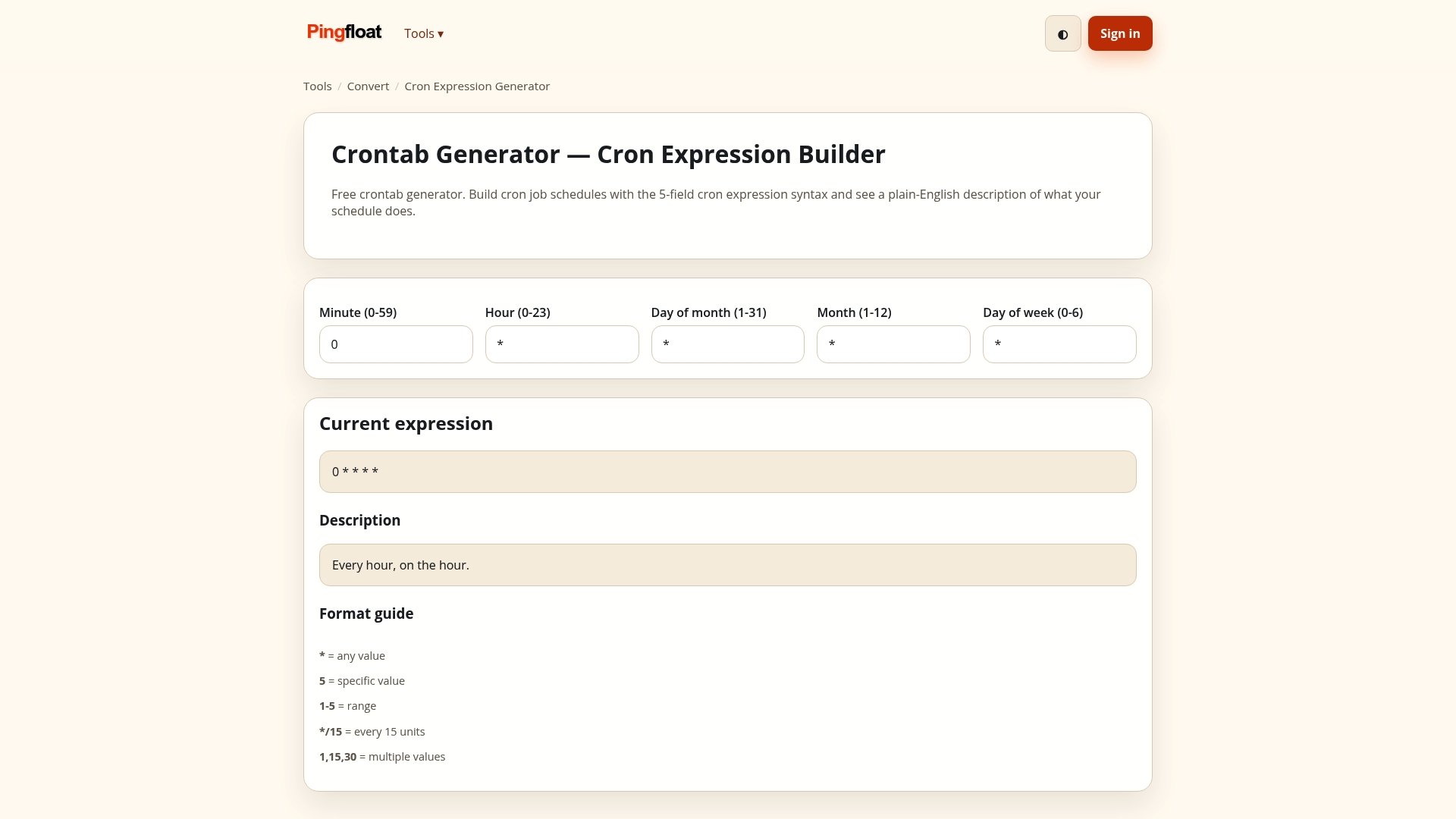
If you want everything in one place, start from the Pingfloat tool suite. If you would rather script it, the Pingfloat Public API is there for automation.
FAQ
Is Base64 smaller than hex?
Yes. Hex uses two characters per byte, so it doubles the data. Base64 uses four characters per three bytes, so it adds about 33%. For a 32-byte hash that is 64 characters in hex against 44 in padded Base64.
Is Base64 encryption?
No. It is an encoding with no key, so anyone can decode it instantly. RFC 4648 warns that it hides information only visually and gives no real confidentiality. Use TLS and proper encryption for anything sensitive.
What does == mean at the end of a Base64 string?
It means the last group held only one byte of input, so the encoder added two padding characters to complete four. A single = means the last group held two bytes. No padding means the input length was a multiple of three.
How can I tell whether a string is hex or Base64?
If it has only 0-9 and a-f and an even length, it is probably hex. If it has letters past f, or characters like +, / or =, it is Base64. If it uses - and _ with no padding, it is Base64url, common in JWTs.
Should I use hex or Base64 for hashes?
Use hex for anything people compare or copy, such as published checksums. Use Base64 when the hash goes into a header or JSON field where the shorter length helps. Pick one format per system and document it.