
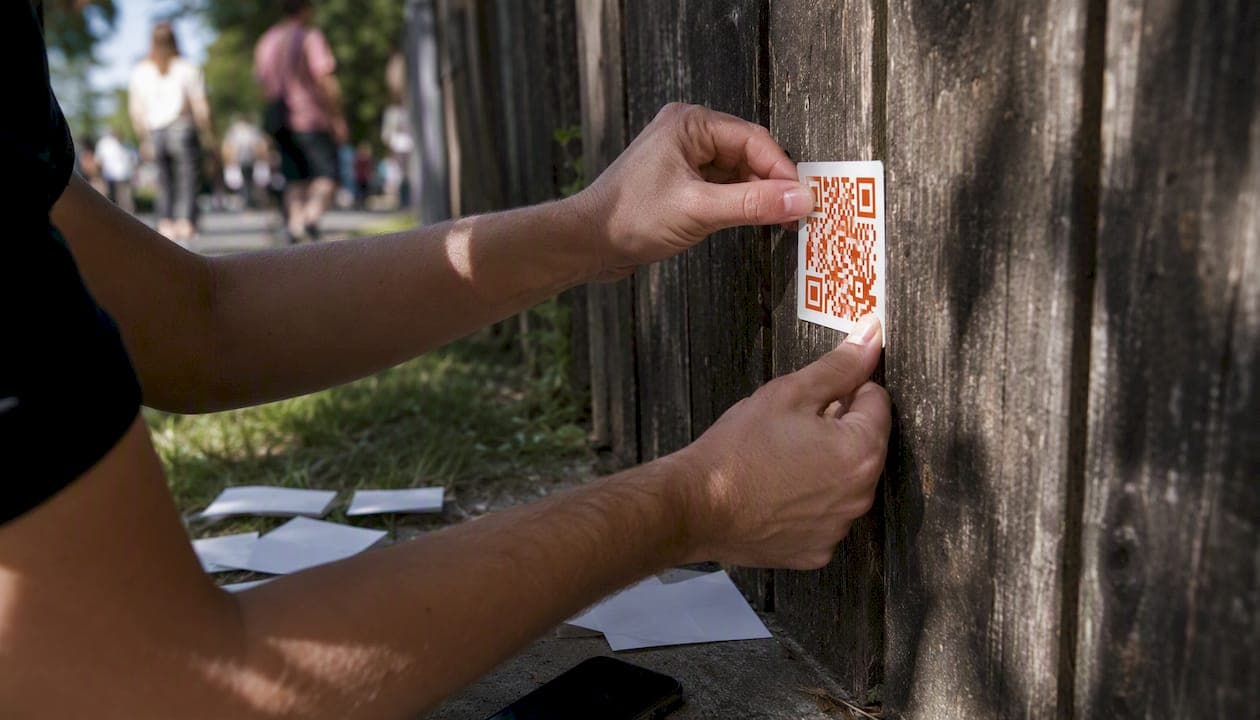
A dynamic QR code stores a short redirect link instead of your final destination, so you can change where it points and see every scan without printing a new code. Dynamic QR codes now account for a majority share of global QR implementations, a share that keeps growing as marketers realize static codes offer no second chances. If you’re printing anything, from a menu to a billboard, use a managed dynamic QR generator like Pingfloat’s QR tool, which follows GS1 conventions for encoding scannable data reliably.
Key Takeaways
Dynamic QR codes work by encoding a short redirect link rather than a final destination, which is what makes editing and tracking possible after printing.
| Point | Details |
|---|---|
| Dynamic dominates adoption | 64% of global QR deployments are dynamic already |
| Redirect dependency is real | A dynamic code depends on the redirect host staying online, so provider reliability matters as much as design. |
| Static can’t become dynamic | Once a static code is printed, its destination is permanent; there’s no converting it later. |
| Match format to file use | Export SVG for print and PNG or WebP for digital to avoid blurry scans at large sizes. |
| Verify free tier permanence | Confirm a provider won’t deactivate codes after a trial before committing to a print run. |
| Pingfloat offers both formats | Pingfloat’s QR tool supports static and managed dynamic codes with analytics and export options for print or digital use. |
Table of Contents
How do dynamic QR codes actually work?
The mechanism is simpler than most people expect, and understanding it explains almost every rule in this article. A dynamic code doesn’t encode your landing page directly. It encodes a short URL that points to a redirect server, and that server decides where the scan actually goes.
Here’s the flow, step by step:
-
A generator creates a short URL (something like pf.link/a8x2) tied to your chosen destination.
-
That short URL, not your real link, gets encoded into the QR pattern.
-
A phone scans the code and requests the short URL.
-
The redirect server logs the scan, then forwards the visitor to your actual destination.
-
You can change that destination anytime, and every future scan follows the new path.
That server typically logs a timestamp, an approximate location pulled from IP address, and device type, but it generally cannot identify who scanned the code unless you’ve added separate tracking like a login or a pixel. There’s a real dependency baked into this system: if the redirect host goes offline or changes its terms, every printed code pointing through it stops working, even though the physical artwork looks fine. About 64% of QR deployments are dynamic already, which is exactly why provider reliability matters more than most people budget for.
Static vs dynamic QR codes: which one do you need?
The distinction comes down to a handful of practical differences, not abstract technology.
-
Editability: static locks the destination forever; dynamic lets you redirect anytime.
-
Tracking: static gives you nothing; dynamic logs scan counts and timestamps.
-
Pattern density: static often looks busier because it encodes your full URL; dynamic tends to scan faster since it only holds a short link.
-
Offline resilience: static keeps working even if the code creator disappears; dynamic depends on the redirect provider staying online.
-
Reprint risk: a typo in a static code means reprinting everything; dynamic just needs a destination update.
The decision rule is simple: if you’ll print, change, or measure anything, choose dynamic. If the link is genuinely permanent, like a link etched into a metal plaque with no campaign behind it, static is fine and one less thing to maintain. One detail trips people up constantly: you cannot convert a printed static code into a dynamic one after the fact. The pattern is baked in.
How do you create a dynamic QR code?
Creating one takes minutes, but the steps that follow generation are what separate a working campaign from a wasted print run.
-
Pick your destination. Decide exactly what page the scan should land on, whether that’s a menu, a signup form, or a product page.
-
Choose a managed generator. Pick a tool that gives you an editable, trackable code rather than a one-time static image.
-
Generate the dynamic code. The tool creates your short redirect URL and encodes it into a QR pattern.
-
Customize the branding. Add a logo, adjust colors, add a frame, or point it through a custom domain so the short link matches your brand instead of a generic redirect string.
-
Test on multiple devices. Scan with at least two different phone models, in different lighting, from a few feet away.
-
Export the right file format. Choose SVG for anything going to print and PNG or WebP for digital use.
-
Deploy and monitor. Place the code, then watch scan data to confirm it’s working as intended.
Before anything ships to a printer, run a physical proof: print at actual size, tape it somewhere realistic, and scan it the way a customer would, at an angle, from a normal distance, under regular lighting.
Pro Tip: Always export print-bound codes as SVG, not PNG. SVG is vector-based, so it scales to poster size or banner size without pixelation, while a PNG made for a business card will look blurry blown up to a storefront window.

What do dynamic QR analytics actually measure?
Once a code is live, the redirect server becomes your reporting engine. Most managed platforms surface total scans, unique scans, scan timestamp, approximate location by IP, device type, and sometimes referrer data if the scan came from an app rather than a camera.
Marketers put this to use in a few concrete ways:
-
Running A/B tests by pointing two printed codes at different landing pages and comparing conversion.
-
Rolling out regional campaigns and checking whether scan location matches the intended market.
-
Measuring on-package promotions to see which retail location or SKU drives the most engagement.
-
Feeding scan data into retargeting audiences on ad platforms to follow up with people who scanned but didn’t convert.
Privacy matters here. Good analytics dashboards report aggregate data (scan counts, general location, device category) rather than personally identifiable information, and reputable providers document data retention periods and offer opt-outs where local law requires them. If you’re trying to separate real human scans from bot traffic hitting your redirect URL, a user agent lookup helps you spot patterns that don’t look like a phone camera at all.
What does a dynamic QR code cost?
Pricing tends to fall into a few recognizable shapes. Free tiers usually cap the number of active codes or monthly scans. Paid plans charge either a flat per-code monthly fee or scan-based billing that rises with volume, and enterprise buyers negotiate SLA-backed pricing for guaranteed uptime.
Watch for these limits before you commit anything to print:
-
A cap on how many times you can edit the destination.
-
A hard scan limit per month or per code.
-
An expiration date after which the code stops resolving.
-
Restricted or paid-only API and bulk-creation access.
Free trials sometimes deactivate codes the moment the trial ends, which is a brutal surprise if you’ve already printed 10,000 flyers. Confirm permanence in writing before you send anything to production.
What print and design habits keep codes scanning reliably?
A code that works perfectly on screen can fail completely once it hits paper, and the reasons are almost always physical, not technical.
-
Keep a minimum size of roughly 1 inch (2.5 cm) for close-range items like business cards, and scale up to several inches for posters meant to be scanned from a few feet away.
-
Maintain strong contrast, ideally dark modules on a light background, and leave a clear quiet zone (blank margin) around the whole code.
-
Use a higher error correction level when placing a logo in the center, since that redundancy lets the code still scan with part of the pattern obscured.
-
Avoid busy photographic backgrounds directly behind the code.
-
Dynamic codes tend to scan faster than static ones because the encoded short URL creates a simpler, lower-density pattern.
Export as SVG or a high-resolution PNG for anything going to a printer, and test a physical proof before a full run. Glossy varnish, tight folds across the code, and dim lighting are the three most common reasons a code that scanned fine on a laptop fails in the real world.
How do you choose a dynamic QR code provider?
A few non-negotiables separate a reliable provider from one that leaves you exposed mid-campaign.
-
Editable redirects with no cap on changes, so you can update destinations as often as a campaign needs.
-
Real analytics, including scan counts, timestamps, device type, and rough geographic data.
-
Custom domain support, so your short links carry your brand instead of a generic string.
-
API and bulk creation, if you’re generating codes at scale for packaging or multi-location rollouts.
-
Documented uptime and hosting reliability, since your printed material is only as good as the redirect server behind it. A status code reference is worth bookmarking if you ever need to diagnose a redirect that suddenly returns an error.
-
Clear data retention and privacy policies, plus exportable analytics you actually own.
-
Transparent commercial terms, covering free tier limits, cancellation effects on live codes, and overage pricing before you’re locked into a print run.
Provider reliability isn’t a minor checkbox. A redirect host going down, or quietly changing terms, can silently break every printed code tied to it, long after the print budget is spent.
Why Pingfloat favors managed dynamic codes for campaigns
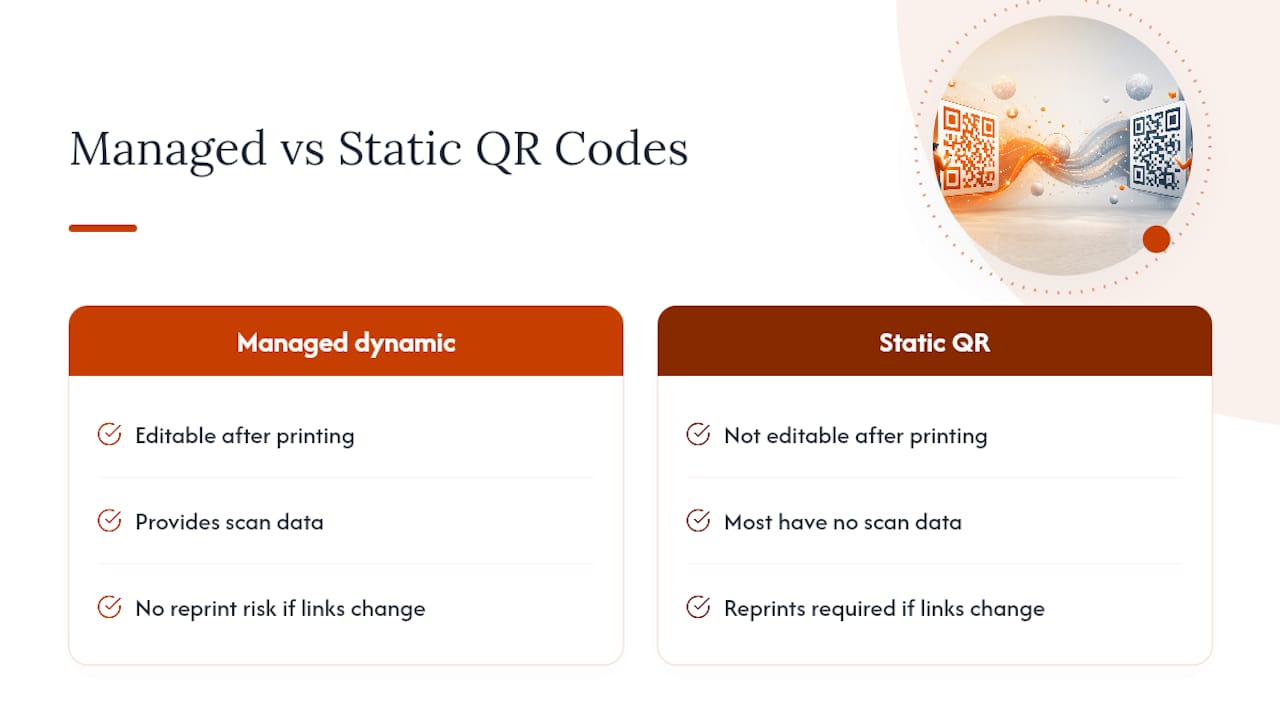
Reprinting collateral because a link changed is one of the most avoidable costs in marketing. A managed dynamic code removes that risk entirely and gives you scan data most static codes never provide. Pingfloat builds its QR tools around that exact workflow, editable, trackable, and ready for both developers and marketers who need it to just work.
Try Pingfloat’s QR tools for your next campaign
If everything above sounds like a lot to manage yourself, that’s the point of using a purpose-built generator instead of stitching one together. Pingfloat’s QR tool gives you both static and managed dynamic codes from the same dashboard, so you’re not locked into one format before you know what a campaign needs.
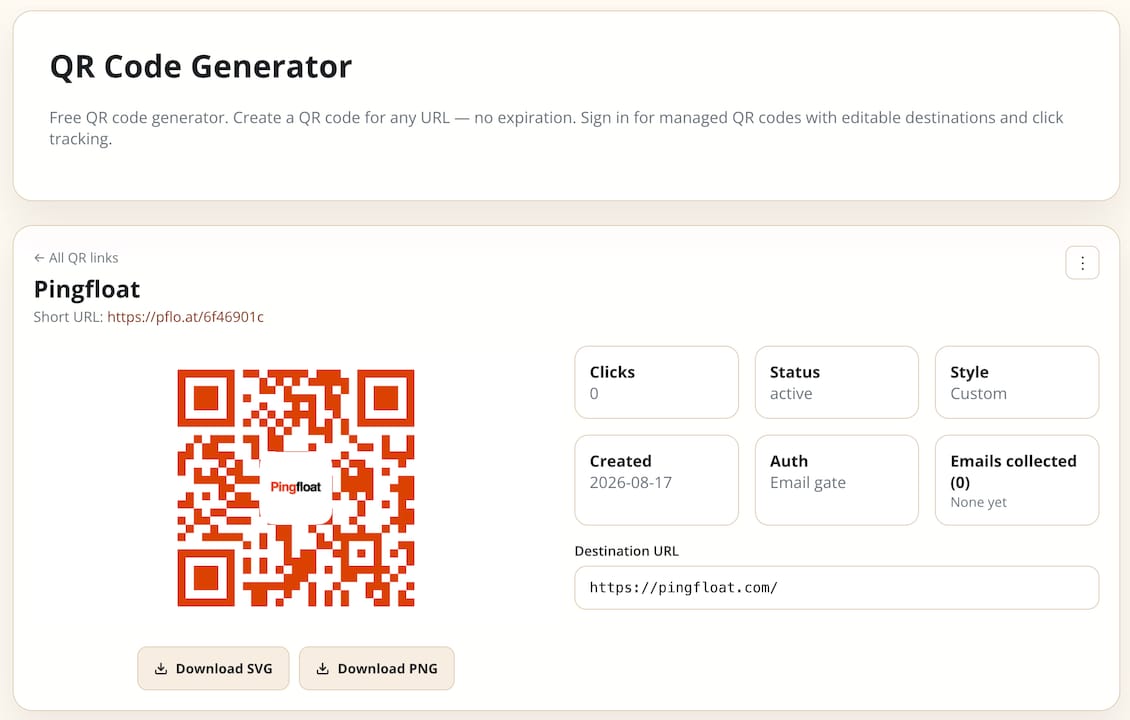
Here’s what you get without a signup wall for the basics: export-ready files sized for print or digital, straightforward scan analytics so you can see what’s working, and the option to move up to managed dynamic codes when a campaign needs editable redirects. Free tools stay free at the core, which matters if you’re testing an idea before committing budget to a print run. When you’re ready to attach a real campaign to a code, that’s where the managed layer earns its keep, and where Pingfloat’s uptime monitoring backs the reliability your printed materials depend on. Head to the QR code generator and create your first code in under a minute.
Frequently asked questions
How can you tell if a QR code is dynamic or static? Scan it and check the URL. A dynamic code usually resolves through a short domain (like pf.link/xyz) before landing on the final page, while a static code jumps directly to a long, unshortened destination URL with no intermediate redirect.
Can a dynamic QR code expire? Yes, depending on the provider’s plan. Some free tiers deactivate codes after a trial period or scan cap, so confirm permanence terms before printing anything meant to last.
Do dynamic QR codes cost more than static ones? Usually, yes, since dynamic codes require ongoing server hosting for the redirect. Many providers offer a free tier with limits, then charge per code or per scan volume as usage grows.
Is scan data from dynamic QR codes personally identifiable? Typically not by default. Most platforms log aggregate data like timestamp, device type, and approximate location by IP, not a scanner’s identity, unless you’ve added separate tracking like a login form.
What happens if the QR code provider shuts down? Any printed code routing through that provider’s redirect server stops working, even though the physical artwork looks unchanged. That’s why checking a provider’s uptime history and hosting reliability matters before a large print run.