

A 502 Bad Gateway means the proxy in front of your application, such as NGINX or a load balancer, reached the backend but got back a response it could not use. The proxy is fine. The backend crashed, refused the connection, closed it mid-reply or sent something malformed. The fastest fix is to read the proxy's error log, find the line that mentions the upstream, and match it to a cause. For quick outside checks, we built Pingfloat's free tools, including an uptime monitor and a traceroute, to show whether the problem is the site or the path to it.
TL;DR
- A 502 comes from the gateway, not the backend that failed. Per MDN, the gateway received an invalid response from the upstream server.
- In NGINX, run
sudo tail -n 100 /var/log/nginx/error.logand look for the line containing "upstream". It names the cause. - The most common cause is a backend application that crashed or never started. Restart it, then find out why it died.
- 502 means the upstream answered badly. 504 means it did not answer before the timeout. The fixes differ.
- Visitors almost never cause a 502. If you only see it, reload once and wait. If you own the site, start with the logs.
Table of Contents
- What a 502 actually tells you
- 502 vs 504: read what the proxy saw
- Step 1: confirm it is real and see its scope
- Step 2: read the NGINX error log
- Step 3: fix the cause the log points to
- Fixing a 504 Gateway Timeout in NGINX
- Other places a 502 can hide
- If you are a visitor, not the owner
- Keep 502s from reaching your users
- Our view on gateway errors
- Check your site before the next 502 does
- FAQ
- Sources
What a 502 actually tells you
Modern requests rarely go straight from a browser to one server. They pass through load balancers, reverse proxies, API gateways and application servers. Postman's explanation lays out the chain: the client asks the gateway, the gateway forwards the request to a backend, the backend fails to respond correctly, and the gateway reports the failure as a 502.
The key detail is where the code comes from. The 502 is generated by the gateway, so the page that shows it is not the machine that broke. When you debug, you are always looking one hop behind the server that answered you.
The formal definition is in RFC 9110: a server acting as a gateway or proxy received an invalid response from an inbound server it accessed while trying to fulfill the request. "Invalid" covers malformed HTTP, an empty reply and a connection reset, as Azion's overview summarizes.
502 vs 504: read what the proxy saw
The two gateway errors are easy to confuse, and the fix depends on which one you have.
| 502 Bad Gateway | 504 Gateway Timeout | |
|---|---|---|
| What happened | Upstream answered, but the answer was unusable | Upstream did not answer before the deadline |
| Typical cause | Crash, reset connection, wrong port or socket, protocol mismatch | Slow query, stalled process, overloaded backend |
| Typical NGINX log clue | "Connection refused" or "prematurely closed connection" | "upstream timed out" |
| First move | Check the backend process is up and listening | Find what is slow, then adjust the timeout if the work is legitimate |
MDN draws the same line: if the origin sends a valid HTTP error response, the gateway should pass it on, and if the gateway gets no HTTP response at all, it sends a 504. DEV Community's comparison makes the practical point that you separate them by what the proxy observed about the upstream connection, not by the number alone.
A handy memory aid from Postman: 502 is bad communication, 503 is intentional downtime, and 504 is a backend that took too long. If your log shows a timeout, jump to the 504 section below. We also keep reference pages for both codes: 502 Bad Gateway and 504 Gateway Timeout.
Step 1: confirm it is real and see its scope
Before you touch a config file, answer three questions.
- Is it everyone or just you? Open the page from another network or device. If it loads, the problem may be your VPN, a custom proxy or local networking. MDN notes that client-side networking setups are the exception to the rule that a 502 needs a server owner's attention.
- Is it every URL or one? A single endpoint failing points at one route or one slow handler. Every URL failing points at the backend process or the proxy-to-backend link.
- Is it constant or intermittent? Intermittent 502s often track deployments, restarts, memory pressure or traffic spikes. Constant ones usually mean the backend is down or the address is wrong.
A single reload is fine. Repeated hammering is not: DEV Community points out that one retry can clear a transient stall, but repeated retries add load to an upstream that is already saturated.
To check the site from outside your own network, run it through our Website Uptime Monitor. It tells you whether the site is reachable and what it returns, which separates a site-wide outage from a problem on your side. If the failure looks like a network path issue rather than an application one, the Traceroute tool shows where packets stop.
Step 2: read the NGINX error log
This is the step that turns a guess into a diagnosis. DeployHQ's NGINX guide recommends running:
sudo tail -n 100 /var/log/nginx/error.log
Then find the line containing "upstream". The log path can differ on your system, so check your error_log directive if the file is empty. A 502 means NGINX itself is working while the backend refused the connection, died mid-reply or sent something NGINX could not use. The wording of the line tells you which.
| Log message | What it means | Where to look |
|---|---|---|
connect() failed (111: Connection refused) while connecting to upstream | Nothing is listening at that address and port | Is the app running? Is the port in proxy_pass correct? |
upstream prematurely closed connection while reading response header | The backend died or was killed mid-request | App logs, out-of-memory kills, segfaults at the same timestamp |
upstream sent too big header | Response headers exceed NGINX's buffer | Proxy buffer settings, oversized cookies or headers |
connect() to unix:/...php-fpm.sock failed (13: Permission denied) | NGINX cannot open the PHP-FPM socket | Socket owner, group and mode |
connect() to unix:/...sock failed (2: No such file or directory) | Wrong socket path, or PHP-FPM is not running | The fastcgi_pass path and the PHP-FPM service |
The messages in the table come from DeployHQ's guide. Netdata's NGINX guide adds that the "prematurely closed" signature means the upstream worker died during the request, so you should look for out-of-memory kills, segfaults or worker kills in the application logs at the same moment.
Step 3: fix the cause the log points to
The backend is down or never started
This is the most common cause. Check the service status (for example systemctl status for your app or PHP-FPM unit), restart it, and confirm it is listening on the port NGINX expects. A restart gets you back online, but it does not explain the crash. Look at why it exited: memory limits, an unhandled exception at boot, a bad environment variable after a deploy.

Wrong port, address or socket
After a deployment or a framework upgrade, the app may bind to a different port or socket than your proxy_pass or fastcgi_pass expects. Compare the two. For sockets, check that the NGINX worker user can read and write the socket file.
Isolate the proxy from the app
Skip NGINX and talk to the backend directly. BugMojo's guide suggests using curl against the backend IP and port. For example:
curl -v http://127.0.0.1:3000/health
If that returns a healthy response, the app is fine and your NGINX configuration is the suspect. If it fails or returns an empty reply, the bug is in the backend.
Crashes under load
Postman lists a backend running out of memory and crashing as a common cause, and an overwhelmed backend that cannot respond in time as another. If 502s cluster at traffic peaks, check memory, worker counts and connection limits before you change any timeout.
Headers too large
If the log says the upstream sent too big header, raise the proxy buffer size in the relevant block, then reload. Also ask why the headers grew: a bloated session cookie is a frequent culprit. Check the directive details in the NGINX proxy module documentation before changing values.
After any change, test the configuration with sudo nginx -t and reload. If your 502 shows up only after a redirect or rewrite change, our guides to NGINX redirect rules and NGINX rewrite examples help you check that nothing in the location blocks sends traffic to the wrong place. If you would rather not hand-write them, the Redirect Rule Generator produces NGINX and Apache rules for you.
Fixing a 504 Gateway Timeout in NGINX
If the log says "upstream timed out" while reading the response header, you have a 504, not a 502. FixDevs explains that this message confirms the connection was established but the backend was too slow before the read timeout elapsed.
Three NGINX settings control this, and the official documentation describes each. DeployHQ notes the defaults are 60 seconds for proxy_connect_timeout, proxy_send_timeout and proxy_read_timeout. The read timeout is the gap between two reads of the response, not the total time for the whole response.
What to do:
- Find the slow work: a heavy database query, an external API call, a long report.
- Fix it if you can: add an index, cache the result, move the job to a queue.
- If the work is legitimately long, raise
proxy_read_timeoutto your real upper bound, not to a huge number that hides stalls. - Reload NGINX and watch whether the 504s stop.
Raising a timeout without finding the slow part only moves the wait around. The delay still reaches your visitors.
Other places a 502 can hide
NGINX is the most searched case, but the same logic applies to any hop. A CDN, a cloud load balancer or an API gateway can each return a 502 when its origin misbehaves. Work from the outside in:
- DNS. If a hostname points at an old or wrong address, the proxy talks to the wrong machine. Our DNS troubleshooting guide walks through five commands for finding faults.
- TLS between proxy and origin. If the proxy connects to the backend over HTTPS and the handshake fails, you get a gateway error. See our SSL handshake failure checks, and use the SSL Checker to confirm the certificate on the origin is valid and unexpired.
- Network path. Run a traceroute from the proxy host toward the backend if they live in different networks.
- Related errors. If the backend itself returns a generic failure rather than a bad response, the cause is different. Our 500 Internal Server Error reference covers that case, and this breakdown of 500-level error causes and checks shows how backend application failures and proxy configuration problems surface for site owners.
If you are a visitor, not the owner
If you landed here because a site you do not run shows a 502, the odds are on your side. Webzeto notes that a 502 is almost never the visitor's fault and does not mean you were blocked, since blocks typically appear as a 403 Forbidden or a challenge page. Many 502s from restarts or short spikes clear within minutes, and one lasting longer than roughly 15 to 30 minutes suggests a real outage that the owners must fix.
Proxidize adds that a 502 has no standard recovery time, since it depends on the fault, and that it does not prove a site was compromised. Reload once, check the site's status page, and try again without a VPN or custom proxy. If you report it, include the address, the exact time and time zone, the visible message and any request ID shown.
Keep 502s from reaching your users
Fixing a 502 after a customer reports it is the slow way. These habits shorten the gap:
- Watch the site from outside. An uptime check that runs on a schedule tells you about the failure before your visitors do. Scheduled uptime monitoring is one of the features available when you sign up for a Pingfloat account.
- Log with timestamps you can compare. Matching an NGINX error to an application crash at the same second saves hours. Our Unix Timestamp and Timezone converters help when logs come from servers in different zones.
- Deploy so the backend is ready before traffic arrives. Restarts without health checks produce short bursts of 502s.
- Set timeouts on purpose. Know why each value is what it is, and keep it near the real upper bound of your slowest legitimate request.
- Keep headers small. Trim cookies and avoid piling data into response headers.
Our view on gateway errors
Every gateway error is a question about which hop failed. The browser shows you one status code, but the answer lives in a log line two machines away. The habit that saves the most time is separating "is it down?" from "why is it down?".
We build Pingfloat around that split. An outside check such as the Website Uptime Monitor answers the first question in seconds, without installing anything or creating an account. A traceroute, an SSL check or a look at the HTTP response headers narrows the second. Then the proxy log gives you the exact reason.
Developers and IT teams should not need a heavy platform just to learn whether a site is up. That is why the core tools are free and open to use right away, with sign-up for extras like scheduled monitoring, saved results and team workspaces.
Andreas
Check your site before the next 502 does
When a 502 hits, you need a fast outside view and a few diagnostics in one place. Pingfloat is a free suite of web tools for developers and IT professionals. The Website Uptime Monitor checks whether your site responds, the Traceroute shows where a connection breaks, and the SSL Checker verifies your certificate. Core tools need no installation or account.
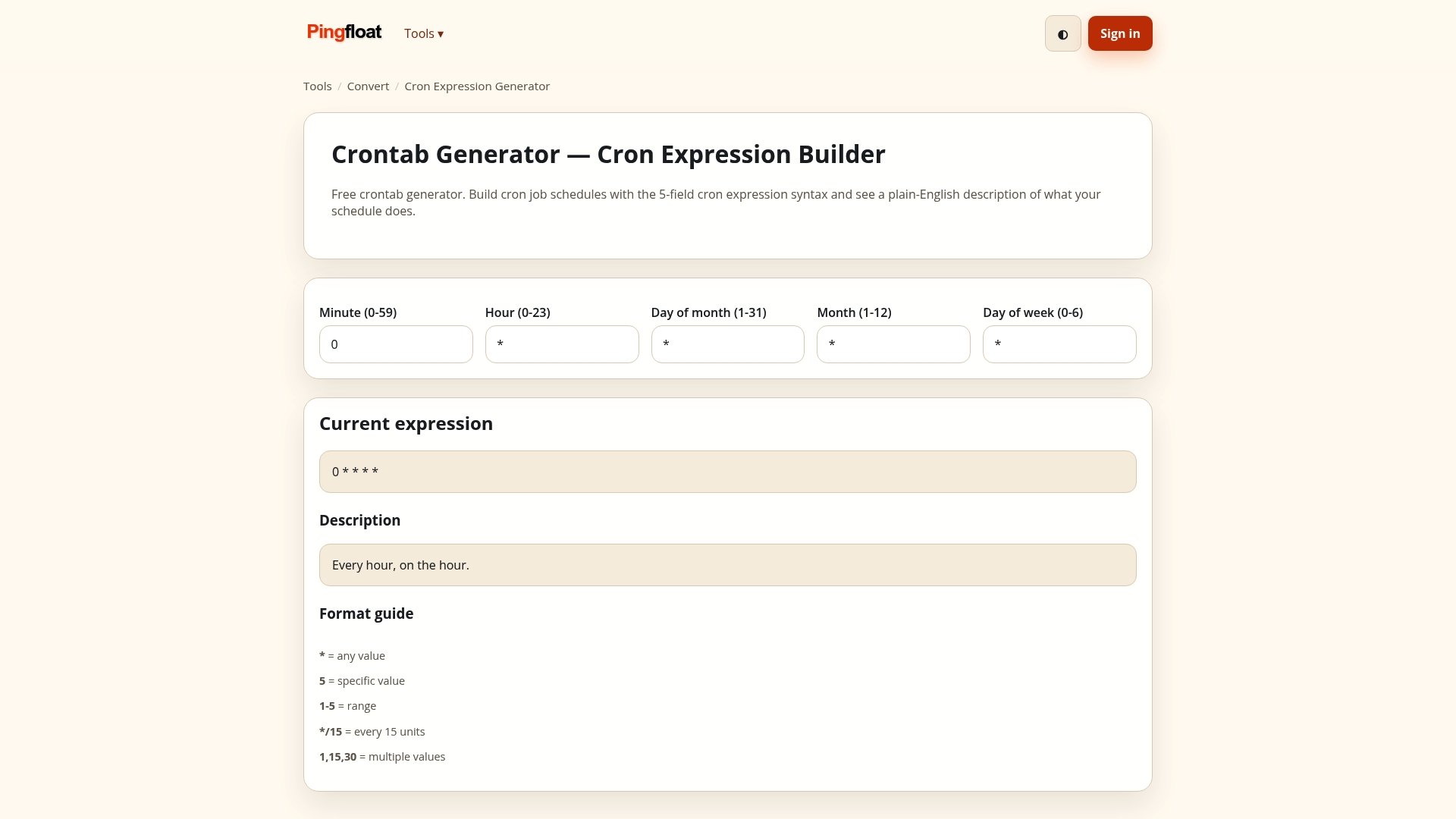
If you want to wire checks into your own workflow, the Pingfloat Public API is available, and the full tool list is on the Pingfloat homepage.
FAQ
Does a 502 Bad Gateway mean I am blocked?
No. A 502 means two servers failed to communicate properly on the site's side. Blocks usually appear as a 403 Forbidden or a security challenge page. If the site loads from another network, check your VPN or proxy settings.
How long does a 502 Bad Gateway last?
There is no standard duration. A restarted process may recover in moments, while a wrong upstream address can fail until someone fixes the configuration. Short spikes and deployments often clear within minutes, and a longer error suggests an outage the owner must resolve.
What is the difference between a 502 and a 504?
A 502 means the upstream answered with something unusable, such as a reset connection or malformed response. A 504 means the upstream did not answer before the gateway's timeout. In NGINX, "upstream timed out" in the error log points to a 504.
What causes a 502 in NGINX most often?
The backend application has crashed or never started, so NGINX logs a refused connection. Wrong ports or socket paths, socket permission errors, oversized headers and workers killed mid-request are the other usual suspects. The error log line containing "upstream" tells you which one applies.
Sources
- 502 Bad Gateway - HTTP | MDN
- RFC 9110: HTTP Semantics
- Module ngx_http_proxy_module | nginx.org
- 502 Bad Gateway: Understanding and Fixing This HTTP Status | Postman
- 502 Bad Gateway Error | Causes and Solutions | Azion
- 502 Bad Gateway vs 504: How to Tell Them Apart | DEV Community
- NGINX 502 Bad Gateway | DeployHQ
- NGINX 502 Bad Gateway: Causes And How To Fix It | Netdata
- How to Fix a 502 Bad Gateway Error | BugMojo
- Fix: Nginx 504 Gateway Timeout | FixDevs
- 502 Bad Gateway Error: Meaning, Causes and How to Fix It | Webzeto
- What Is a 502 Bad Gateway Error, and How Do You Fix It? | Proxidize