

Managed QR codes use an editable redirect layer, so teams can update destinations after printing and collect scan analytics. Use them any time a printed or public QR code needs to stay current or measurable. That covers most business cases: menus, packaging, event signage, and print ads where a broken or outdated link means a wasted print run. Marketing teams, operations staff, agencies, and enterprise groups running multiple campaigns are the primary users.
TL;DR:
- Dynamic QR codes are essential for long-term campaigns because they allow destination updates and provide detailed analytics such as scan timing, device info, and location data.
- Managed QR code platforms should include branding options, bulk management features, role-based controls, and integrations like APIs to ensure scalable, secure operation.
- QR-based phishing (quishing) exploits the inability of email filters to detect malicious codes, making training, role separation, and link scanning crucial for mitigation.
- Organizations should establish clear ownership, testing, and periodic audits for QR codes, along with matching print specifications to prevent dead links and ensure long-term effectiveness.
- Using platforms like Pingfloat's QR code generator, teams can start with free static and managed codes to test workflows before scaling with automation and rigorous governance practices.
Table of Contents
- Dynamic vs Static: How Managed QR Codes Work
- What Features Does a Managed QR Code Platform Need?
- Quishing Risks and How to Reduce Them
- How to Choose a Managed QR Code Solution
- Rolling Out Managed QR Codes: A Practitioner Checklist
- QR Codes Deserve the Same Discipline as Any Marketing Asset
- Getting Started With Pingfloat's QR Code Tools
- Sources
- FAQ
Dynamic vs Static: How Managed QR Codes Work
A static QR code embeds the destination directly in the pattern of black and white squares. Once printed, that link is permanent. A dynamic QR code instead encodes a short redirect URL. Scan it, and the platform's server looks up the current destination and forwards the visitor there. Change the destination in your dashboard, and every printed copy of that code updates instantly, with no reprint.
This distinction matters most for anything that outlives a single campaign. A restaurant's table tent QR code needs to survive menu updates. A packaging QR code might run for years across product batches. A conference badge QR code might need to swap from a "coming soon" landing page to the live agenda the morning of the event.
Dynamic codes also unlock analytics that static codes simply cannot provide, because a static code never talks to a server:
- Scan timestamp and frequency, including repeat versus unique visitors
- Device type and operating system
- Approximate location, down to country or city
- Which specific code or campaign drove the scan
Static codes still have a place. A one-off personal QR code, a link on a business card you're not tracking, or a code destined for a single-use flyer with no need for edits or metrics doesn't justify the extra setup. For anything printed at scale or meant to last, dynamic codes are the professional default.
What Features Does a Managed QR Code Platform Need?
A real QR code management platform does more than generate images. It behaves like a small content management system built around one job: keeping redirects accurate and measurable.
The baseline feature set looks like this:
- Branding and export formats. Logo placement, custom colors, and export in PNG, SVG, and PDF so print vendors get a file that won't pixelate at billboard size.
- Analytics and reporting. Per-code and aggregate dashboards, CSV export, and UTM parameter support so scan data joins cleanly with the rest of your marketing stack.
- Organization at scale. Folders, tags, bulk CSV creation, and templating, because a retail chain rolling out 400 in-store codes cannot name and manage each one by hand.
- Team controls. Role-based permissions, audit logs, and SSO/SCIM support so a junior staffer can't accidentally repoint a code that's live on national packaging.
- Integrations and API access. Connections to CRM tools, Zapier, webhooks, and analytics platforms, with scoped API keys and per-key rate limits to contain the damage if an automation misfires.
That last point deserves attention, because management platforms increasingly compete on governance, not just generation: audit trails, tagging, and CRM integrations that push scan data into HubSpot, Salesforce, or a marketing automation queue automatically.
Pro Tip: Ask any platform what happens to your redirects if you stop paying. Some downgrade codes to a limited free tier that still resolves; others deactivate them outright. That single answer tells you more about long-term risk than any feature list.
Quishing Risks and How to Reduce Them
QR-based phishing, commonly called quishing, exploits a simple gap: most email security filters scan text and links, not images. A malicious QR code embedded in a PDF or printed flyer sails past those filters because there's no URL for the scanner to flag. The FBI has documented cases of unsolicited packages and spearphishing campaigns that use QR codes to harvest credentials and push malware. NIST awareness materials describe similar campaigns impersonating trusted brands to trick people into scanning codes that lead to fake login pages.
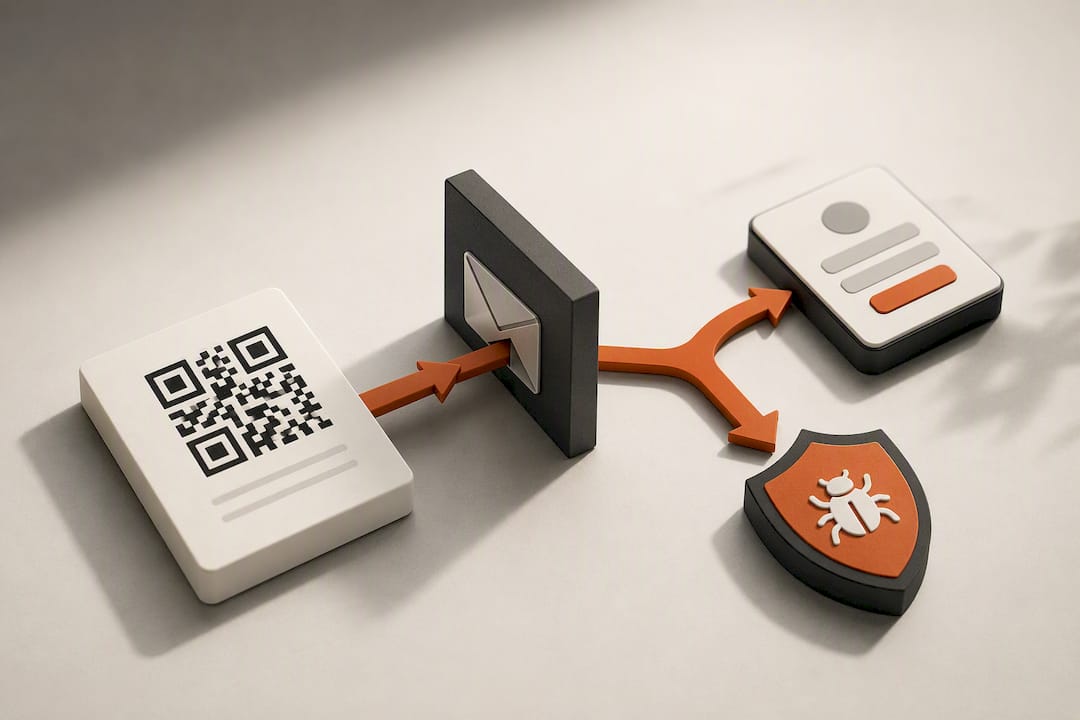
Some attacker-controlled redirectors go further, fingerprinting the phone's device and browser before serving a tailored credential-harvesting page, which makes the fraud harder to spot on a quick glance.
Mitigation happens on two fronts. On the platform side:
- Audit logs that flag when a redirect destination changes
- Role separation so only approved staff can edit live codes
- SSO and scoped API keys to limit who can touch production redirects
- Link scanning before publishing new destinations
On the human side, staff training, mobile device management (MDM) policies that flag suspicious URLs, and a clear internal reporting process for anyone who scans something that looks off. Design matters too: logos and color overlays are fine within a code's error-correction tolerance, but low contrast or excessive distortion can make a code unreadable, or worse, force a phone's camera to misread it entirely.
How to Choose a Managed QR Code Solution
Run any vendor conversation through this order of priorities:
- Confirm the non-negotiables. Editable redirects, scan analytics, role-based permissions, CSV/API bulk creation, and export in PNG, SVG, and PDF. Skip anything missing one of these.
- Check scalability. Can it handle bulk generation in the hundreds or thousands? Does it support folders, tags, and searchable workspaces for multiple teams or regions?
- Verify security and compliance basics. Audit logs, SSO support, a stated data retention policy, and clear rules about who owns a code once it's created.
- Ask the operational questions vendors hope you skip. What happens to link persistence if you downgrade? Can you export your full dataset? What's the actual support response time?
- Watch for red flags. No audit trail, no bulk export option, vague answers about data ownership, or a free tier that quietly expires and breaks live printed codes.
Rolling Out Managed QR Codes: A Practitioner Checklist
Before generating a single code, decide who owns the program. Ownership ambiguity is how a printed catalog QR code ends up pointing at last year's landing page. Set a folder structure and naming convention (campaign, region, date) before volume makes retrofitting painful.
Build brand templates that match your print vendor's specs exactly, including bleed, minimum size, and color profile, so the export you generate today still scans cleanly six months from now.
- Test every code on the actual devices, lighting, and print size your audience will use, since a design that looks clean in a browser can fail under a phone camera in dim retail lighting
- Attach UTM parameters or first-party tracking so scans convert into measurable campaign data, not just a raw count
- Schedule periodic audits and lock high-visibility redirects (packaging, signage) from casual edits
- Set a retention and archival policy so old codes don't quietly rot with dead links
Pro Tip: Pilot new taxonomy and export settings on one campaign of 10 to 50 codes before you bulk-generate thousands. Fixing a naming mistake across 50 codes is an afternoon; fixing it across 5,000 is a project. A tool like Pingfloat's QR generator can help you test that workflow before committing to a full rollout.
QR Codes Deserve the Same Discipline as Any Marketing Asset
Most teams treat QR codes as a one-time output: generate it, print it, forget it. That's backwards. A QR code on packaging or signage lives for months or years, and every one of those months is a chance for the destination to go stale, get hijacked, or quietly stop converting.
Small governance investments, tagging, audit logs, defined ownership, pay for themselves the first time you avoid a reprint or catch a redirect that changed without approval. Pingfloat's approach reflects that: QR generation sits alongside uptime monitoring and diagnostics because a QR code's real job doesn't end at the scan. It ends when the page it points to actually loads.
— Andreas
Getting Started With Pingfloat's QR Code Tools
Pingfloat's QR Code Generator gives you both static and managed QR code options in the same tool, so you're not stuck choosing a platform before you've even tested the workflow. Start with the free tier to generate a code, test it on your own phone under real lighting, and export it in the format your print vendor needs.

If you're building anything with an API or automating bulk generation across a product catalog, the Pingfloat Public API gives programmatic access to the same underlying tooling. And because QR campaigns rarely live in isolation, from tracking event signage to gated file downloads, it's worth pairing your QR strategy with the rest of the Pingfloat suite, including secure file sharing for anything you're linking behind that scan.
The practical starting point: create one code, test it end to end, confirm the export matches your print spec, then scale up once the workflow holds together. Free access covers the core generation and testing loop; team features like saved results and scheduled monitoring may be available as upgrades when your volume grows.

Sources
For deeper reading on the security side, the FBI's advisory on QR-based fraud schemes and NIST's awareness materials on QR phishing both cover real incident patterns. For the technical side of dynamic versus static behavior and platform governance, see the explainers on dynamic QR code mechanics and QR management at team scale. Teams testing QR-driven landing pages across devices may also find website QA tester tools useful for catching redirect issues before launch.
- Dynamic QR Code Generator, Edit, Track & Brand | QRCodeStack
- Unsolicited packages containing QR codes used to initiate fraud schemes — FBI
- TJ Scholl_Awareness Newsletter (Attachment) — NIST
FAQ
How Are QR Codes Managed at the Team Level?
Team-level QR code management runs through a platform that separates code creation from code editing, using role-based permissions, audit logs, and tagging to control who can touch a live redirect. Bulk creation via CSV or API handles volume, while folders and naming conventions keep hundreds or thousands of codes searchable.
What Is the FBI Warning About QR Codes?
The FBI has warned about quishing, where attackers use QR codes in unsolicited packages or spearphishing emails to direct victims to credential-harvesting or malware pages. The advisory recommends staff training, technical URL controls, and reporting protocols as core mitigations.
Is There a Free Way to Organize QR Codes?
Free QR code tools typically cover single, static codes without organization features like tagging or bulk export. Pingfloat's QR Code Generator offers both static and managed options at no cost to start, with team features like saved results and scheduled monitoring available as an upgrade.
What Are the Two Types of QR Codes?
The two types are static and dynamic. Static codes embed the destination permanently, while dynamic codes route through an editable redirect layer, letting you change the destination and track scans after the code is already printed.