

Password entropy measures how unpredictable a password is, expressed in bits, where every additional bit doubles the work an attacker needs to guess it. For everyday accounts, aim for roughly 60 to 75 bits; for anything sensitive, push past 80. In practice, that means a random 15+ character password or a five to six word passphrase, generated and stored in a password manager, with multifactor authentication turned on everywhere it's offered.
TL;DR:
- Human-chosen passwords often overstate entropy due to predictable patterns, rule-based substitutions, and common attack tactics.
- Attacker speeds of up to 10^11 guesses per second significantly reduce the effective security of low-entropy passwords against offline cracking.
- Length generally provides more security than complexity, making long passphrases and random strings preferable over symbol-based complexity rules.
- Use multi-factor authentication and slow hashing techniques to enhance password security, as these methods outperform relying solely on entropy.
- Generating passwords with tools and prioritizing length over complex symbol requirements offers the best defense against modern password attacks.
Table of Contents
- What Does Password Entropy Actually Mean?
- How Do You Calculate Password Entropy?
- Why Does Real-World Password Entropy Often Fall Short?
- How Many Guesses Per Second Can Attackers Make?
- What Password Length Should You Actually Aim For?
- How Do You Generate and Check a High-Entropy Password?
- What People Get Wrong About Password Entropy
- Generate Strong Passwords Without the Guesswork
- Sources
What Does Password Entropy Actually Mean?
Entropy comes from information theory, and the NIST glossary defines it as a measure of the number of possible values something can take, expressed as a base-2 logarithm. For passwords, that "something" is the pool of characters or words you could have chosen from, and the log2 turns a huge number of possibilities into a manageable bit count.
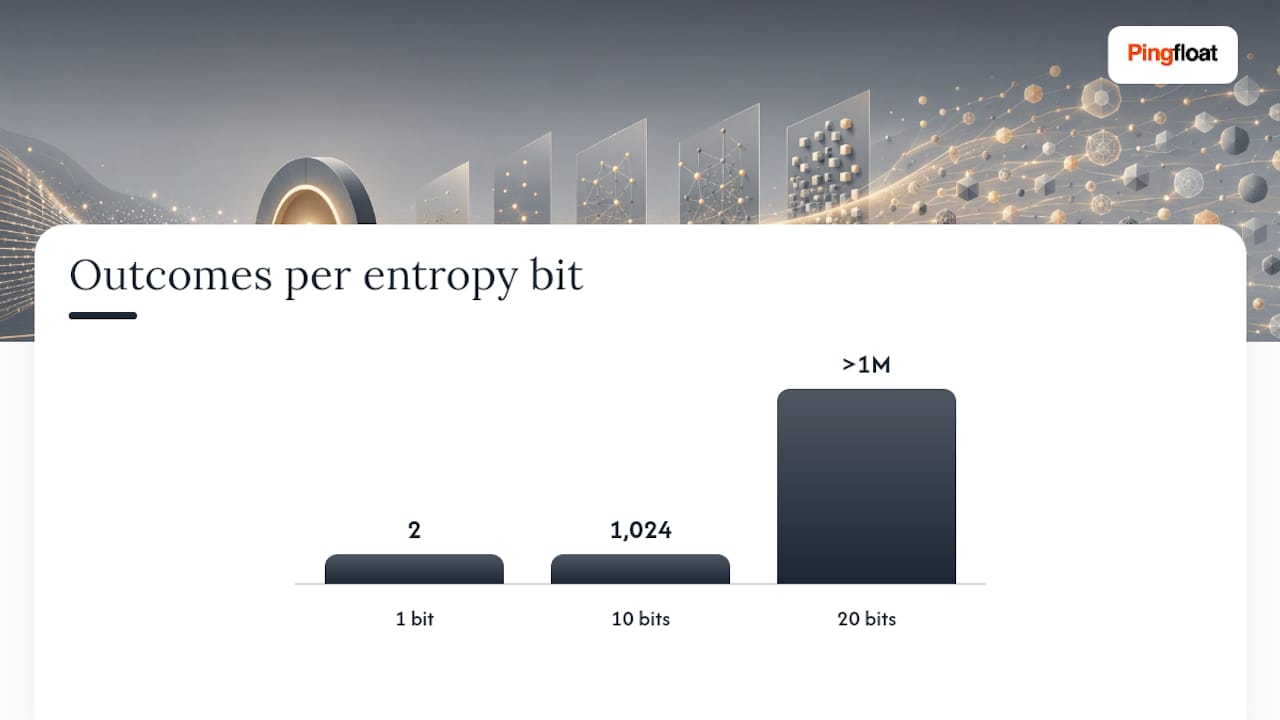
Here's the intuition. One bit of entropy means two equally likely outcomes, like a coin flip. Ten bits means 1,024 outcomes. Twenty bits means over a million. Every bit you add doubles the number of guesses an attacker has to work through on average, so entropy climbs fast even though the numbers going in grow slowly.
A few things are worth internalizing before you calculate anything:
- Entropy assumes every possibility is equally likely to be chosen, which is a big assumption for human-picked passwords.
- It's a measurement of unpredictability, not a guarantee of safety. A high-entropy password stored in a plaintext file is still a disaster.
- The number only means something relative to a specific attack model. Bits that resist a slow, rate-limited login form don't necessarily resist an offline cracking rig.
Entropy tells you how big the haystack is. It doesn't tell you whether someone left the barn door open.
How Do You Calculate Password Entropy?
The formula is simple: H = L × log2(N), where L is the password's length and N is the size of the character pool it draws from. Multiply the bits per character by the number of characters, and you get total entropy in bits.
The pool size N depends on what kind of characters you're allowed to use:
- Lowercase letters only (26 characters): about 4.7 bits per character
- Lowercase plus uppercase (52 characters): about 5.7 bits per character
- Alphanumeric, mixed case plus digits (62 characters): about 5.80 bits per character
- Full printable ASCII with symbols (~94 characters): about 6.55 bits per character
- Diceware word list (7,776 words): about 12.9 bits per word
Here's how that plays out for common password styles:
| Password Style | Length | Pool Size | Approximate Entropy |
|---|---|---|---|
| Lowercase random | 12 characters | 26 | moderate bits |
| Alphanumeric random | 12 characters | 62 | higher bits |
| Alphanumeric random | 16 characters | 62 | much higher bits |
| Full ASCII random | 16 characters | 94 | very high bits |
| Diceware passphrase | 5 words | 7,776 | moderate bits |
| Diceware passphrase | 6 words | 7,776 | higher bits |
The entropy formula shows why a 16-character random string and a six-word passphrase land in a similar range even though one looks like gibberish and the other reads like a sentence.
Why Does Real-World Password Entropy Often Fall Short?
The math above assumes true randomness, and that's exactly where human-chosen passwords break down. A password like "P@ssw0rd123!" scores high on paper because it uses the full character set across twelve characters. But attackers don't brute-force character by character. They run leaked-password lists first, then apply rule-based transformations, swapping "a" for "@" or appending "123!" to common words, before ever falling back to raw guessing.
This is why NIST's SP 800-63b guidance explicitly warns that estimating entropy for human-chosen passwords is unreliable. The naive formula overstates strength because it assumes uniform randomness that people simply don't produce. Attackers exploit that gap constantly, working through leaked-password lists and pattern rules before resorting to brute force.
The concept security researchers use instead is "effective entropy," the entropy that survives once dictionary attacks and pattern-matching are accounted for, which is often far lower than the naive character-pool math suggests.
- "Tr0ub4dor&3"-style substitutions look complex but map to predictable dictionary roots.
- Keyboard walks like "qwerty123!" carry almost no real entropy despite mixed character classes.
- Appending a year or exclamation point to a common word barely moves the needle against rule-based cracking.
Pro Tip: Randomly generated passwords and Diceware-style passphrases close this gap because there's no underlying word or pattern for an attacker's rules to exploit. Randomness beats "looks complicated" every time.
How Many Guesses Per Second Can Attackers Make?
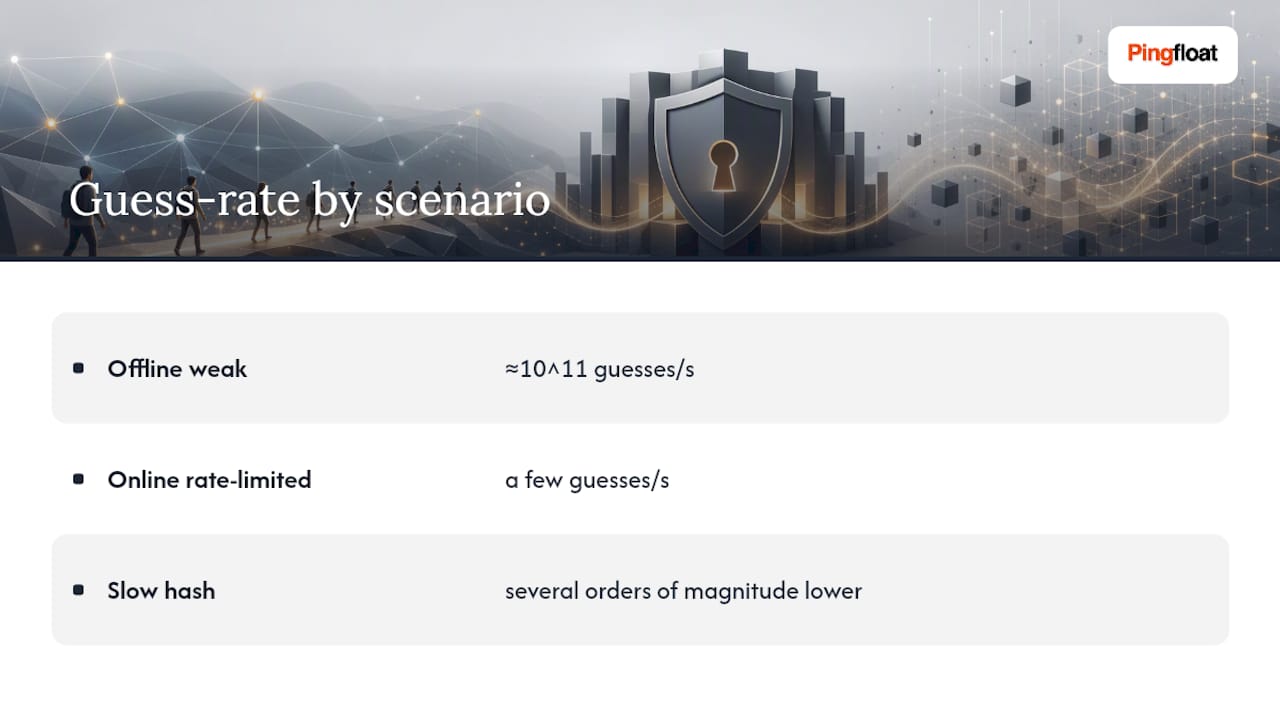
Turning bits into a real crack-time estimate requires an assumption about attacker speed, and that assumption depends heavily on where the attack happens. Modern hardware can push through roughly 10^11 guesses per second against weak, unsalted hashes, a figure NIST uses directly in its own worked example.
At that rate, here's roughly how long different entropy levels hold up:
NIST's own math backs this up: 15 lowercase letters, at roughly 4.7 bits each, works out to about 70 bits of entropy, which it calculates would take over 500 years to crack at that guess rate.
The 10^11 figure only applies to offline attacks against poorly hashed passwords. Online login forms with rate limiting might allow only a few guesses per second, and a properly slow hash function like bcrypt or Argon2 can cut an attacker's effective rate by several orders of magnitude, which is why OWASP recommends slow hashing and rate limits as standard defenses. Entropy and server-side protection work together. Weak hashing on the backend can erase the benefit of a strong password before an attacker even needs to be clever.
What Password Length Should You Actually Aim For?
NIST's current guidance is unambiguous on this point: length beats complexity, and its password guidance recommends a minimum of 15 characters for user-chosen secrets rather than mandatory symbol and number requirements. A longer, simpler password consistently outperforms a shorter, "complex" one, a point echoed in independent analysis of entropy versus complexity.
Here's a practical order of operations:
- Turn on multi factor authentication or passkeys everywhere they're available. This matters more than any entropy tweak.
- Use a password manager to generate and store long, random passwords for every account you don't need to memorize.
- For the handful of secrets you must memorize, like a manager's master password, use a five to six word Diceware-style passphrase.
- Only fall back on manual complexity rules when a site forces them; when that happens, pad length rather than swapping letters for symbols.
Pro Tip: If a site caps you at 12 characters and demands three character classes, don't fight it with clever substitutions. Just make the base word longer and add an extra unrelated word instead.
How Do You Generate and Check a High-Entropy Password?
The workflow is straightforward once you split your accounts into two buckets: things you'll store in a manager, and the tiny handful you'll actually memorize.
- Decide upfront which secrets need to be memorized. Everything else should be machine-generated and stored, never typed from memory.
- For generated passwords, a tool like Pingfloat's password generator produces long, random strings without you having to eyeball character pools or run the math yourself.
- For memorized secrets, build a five to six word passphrase rather than a single dictionary word with substitutions bolted on.
- If you want to see how hashing speed affects crack time in practice, Pingfloat's hash generator lets you compare how MD5, SHA-1, and SHA-256 output differs, which is a useful way to understand why weak hashing algorithms are an attacker's best friend.
Save the result to your manager immediately, and enable MFA on the account before you move on.
What People Get Wrong About Password Entropy
Most advice on this topic still fixates on symbol requirements, and that's backwards. Length is the cheapest, most reliable way to add bits, and forcing users into "one uppercase, one number, one symbol" rules pushes them toward predictable patterns that attackers already model for. A longer passphrase with no symbols at all will usually outperform a short password stuffed with substitutions.
The bigger blind spot is treating entropy as the whole security story. It isn't. A high-entropy password behind a site that hashes it with an outdated algorithm, or that has no rate limiting on login attempts, still fails. Entropy is one layer. Multi factor authentication and proper server-side hashing often do more heavy lifting than another five bits ever will. Use a password manager, reserve memorized passphrases for a small set of critical accounts, and stop treating complexity rules as a proxy for real strength.
— Andreas
Generate Strong Passwords Without the Guesswork
Manually calculating bits per character every time you set up a new account gets old fast. A suite of free developer and security tools handles the tedious parts, so you can focus on the two things that actually move the needle: length and MFA.

Start with the random password generator, which produces long, random strings pulled from a full character pool, ready to drop straight into your password manager. If you're curious how hashing algorithms affect crack resistance on the backend, the hash generator lets you compare MD5, SHA-1, SHA-256, and SHA-512 output side by side. And if your work extends beyond passwords into securing a site's infrastructure, tools like the SSL checker and uptime monitor round out the basics of keeping an account and its underlying site healthy. For a deeper look at authentication layers beyond the password itself, Semester Flow's security resources cover MFA in more depth. Generate a password now, save it to your manager, and turn on MFA before you close the tab.
Sources
- How Do I Create a Good Password? | NIST
- Strength of passwords — SP800-63b
- CSRC glossary: entropy
- Password strength — Wikipedia