
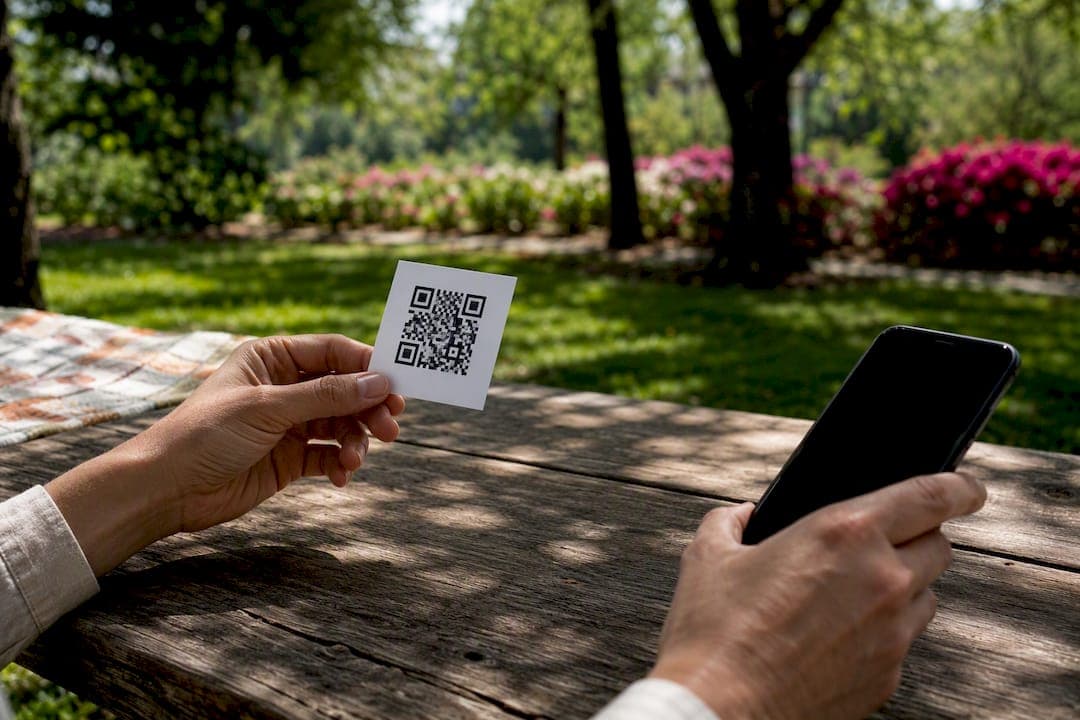
QR code tracking works, and setting it up takes minutes. The catch: it only works with dynamic QR codes, which route every scan through a redirect URL that logs the event before sending the person to your destination — here is your complete event guide on using QR codes for photo sharing and guest engagement.
Three things to do right now:
- Create a dynamic QR code (not a static one) and turn on analytics in the generator.
- Append UTM parameters to the destination URL before you print anything.
- Assign one unique code per physical placement, even if they all lead to the same page.
Once scans start coming in, you'll see total scans, a unique-visitor estimate, timestamps, device type, and an approximate location for each hit.
Key Takeaways
QR code tracking depends entirely on dynamic codes, UTM discipline, and one code per placement, without those three, the data you collect is unusable for campaign decisions.
| Point | Details |
|---|---|
| Use dynamic, not static | Only dynamic QR codes route through a logging redirect; static codes can't record scans at all. |
| One code per placement | Reusing a single code across locations collapses attribution and hides which placement actually worked. |
| Treat unique scans as an estimate | Unique-visitor counts rely on device cookies and shift with private browsing or multiple devices. |
| Set UTMs before printing | Adding UTM parameters after the fact means scans show up as generic direct traffic in GA4. |
| Export data on a schedule | Pull CSVs regularly since free tiers often carry retention limits that quietly delete older scans. |
| Start with a free tool | Pingfloat's QR Code Generator offers dynamic codes with built-in tracking at no cost to test the whole workflow. |
Table of Contents
- What QR code tracking actually measures
- How the redirect works, and where it can break
- Which QR metrics actually tell you something
- Building a QR campaign that's actually trackable
- Getting QR scans into GA4 and your other tools
- Why Pingfloat is a solid place to build this out
- Frequently Asked Questions
- Sources
What QR code tracking actually measures
QR code tracking isn't magic embedded in the black-and-white pattern. It's a redirect. When someone scans a dynamic QR code, their phone hits a short URL controlled by your provider, that server logs the scan, then forwards the person to your landing page. Static QR codes encode the destination directly into the pattern. There's no server in between to log anything. No middleman, no data.
That distinction has a real printing consequence. You cannot "upgrade" a static code that's already on a banner or flyer into a trackable one. Because the underlying pixel pattern for a static code and a dynamic code are different, converting means generating a new code and reprinting.
Plan for this before your first print run:
- Static codes are fine for permanent signage you'll never swap (a business card, a door sign).
- Dynamic codes are the only option if you need scan data, or if you might want to change the destination later without reprinting.
- Every campaign that touches a budget report should start dynamic, by default.
How the redirect works, and where it can break
Every scan on a dynamic code generates a data trail: timestamp, an IP-derived city and country, device type, operating system, browser, and the referrer if one exists. If you appended UTM parameters, those pass through too. Location data comes from IP address, not GPS, so it's a reasonable approximation of the metro area, not a pin on a map. Don't build a campaign decision around block-level precision, because you won't get it.
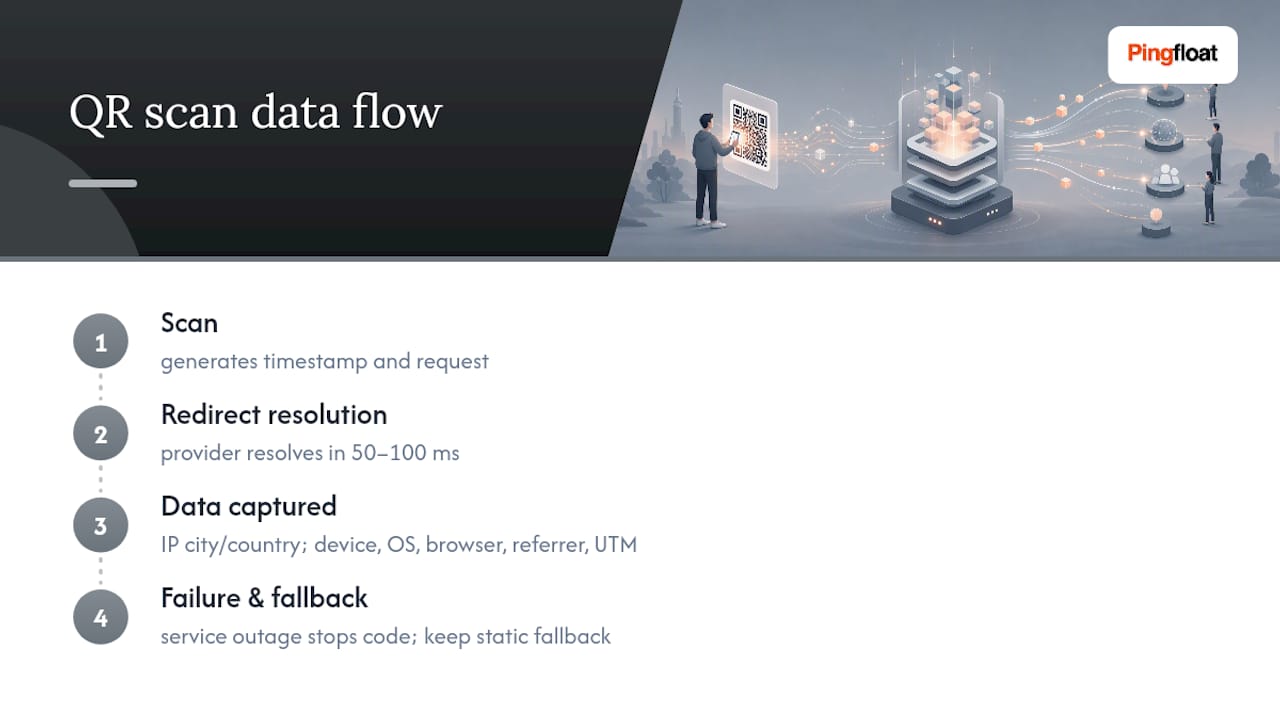
Redirects themselves are fast. Most dynamic QR platforms resolve in under 50 to 100 milliseconds, so scanners rarely notice a delay. But that speed depends on the provider's server staying up. The redirect is a dependency, not a formality. If the hosting service goes down, the code stops working entirely, not just the tracking.
Pro Tip: For anything mission-critical, a printed event ticket, a safety notice, a legal disclaimer, keep a static fallback or at minimum monitor your redirect provider's uptime the same way you'd monitor any other production endpoint.

Which QR metrics actually tell you something
Not every number in your dashboard deserves equal attention. A few matter far more than the rest for making campaign calls.
- Total scans vs. unique scans. Total counts every hit; unique tries to estimate distinct people, usually via device or browser cookies. That unique count is an estimate, not a hard number, since cleared cookies, private browsing, or someone scanning from two devices will inflate or deflate it.
- Time-series data. Scans clustered around lunch hour on a restaurant table tent versus a slow trickle overnight tells you when your placement actually gets attention, and when it doesn't.
- Device and OS breakdown. If most scans come from iOS devices, your landing page should render cleanly in Safari before anything else.
- Referrer and UTM data. This is what links a scan back to a specific channel, so you can say "the subway poster outperformed the flyer" instead of guessing.
Read these together, not in isolation. A high scan count with almost no unique visitors might mean one enthusiastic person kept rescanning to check the page, not fifty new customers.
Building a QR campaign that's actually trackable
Get the setup right before anything goes to print, because fixing it after is expensive.
- Generate a dynamic QR code and confirm analytics tracking is enabled in the generator before you export the image.
- Standardize your UTM parameters across the campaign (source, medium, campaign name) and test the destination URL manually to confirm Google Analytics 4 picks up the session correctly.
- Assign one unique QR code per physical placement. Reusing a single code across multiple locations collapses your attribution, you'll never know if the storefront window or the counter card drove the scan.
- Label everything. Keep a simple spreadsheet mapping each code to its physical location, print date, and quantity, so your scan report actually means something three weeks later.
- Design for scannability. Keep enough contrast between the code and background, size it for the expected scan distance, add a one-line instruction ("Scan for menu"), and test it in the actual lighting and location before mass printing.
- Export your scan history on a schedule. Pull CSVs regularly and back them up before downgrading a plan or switching providers, since free tiers often carry retention limits that quietly erase older data.
Pro Tip: *Print one test copy at actual size and scan it with three different phone models before you commit to a run of 500.
Getting QR scans into GA4 and your other tools
The fastest way to make QR scans show up correctly in Google Analytics is to set utm_source, utm_medium, and utm_campaign on the destination URL before you generate the code, not after. Skip this step and your scans land in GA4 as generic direct traffic, indistinguishable from someone who just typed your URL from memory.
From there, you have a few ways to activate the data:
- CSV export for manual analysis or import into a spreadsheet model you already trust.
- API or webhook access to push scan events straight into a CRM or BI tool in near real time.
- UTM passthrough into GA4, which lets you trace what people did after they scanned, not just that they scanned, connecting a physical touchpoint to an actual conversion.
- Audience building for retargeting, using scan events as a trigger through a Zapier connection or direct webhook into your ad platform.
The most complete picture usually comes from combining both data sources. Your QR provider's log tells you the scan happened; GA4 tells you what the person did next.
Why Pingfloat is a solid place to build this out
Pingfloat's free QR Code Generator supports both static and dynamic codes, with tracking built into the dynamic option from the start, no separate analytics add-on to configure.
Because Pingfloat's toolset was built for developers and IT teams, the same platform gives you the technical backup a serious QR campaign needs:
- Check redirect reliability with the traceroute tool if scans seem to lag or drop.
- Verify your landing page's SSL certificate so scanned links don't trigger browser security warnings.
- Confirm how your landing page renders across devices using the user agent lookup tool.
A practical first workflow: generate a dynamic code on Pingfloat, add your UTM string, scan it yourself from two different phones, then check that the session appears correctly in GA4 before you print a single copy.
What I'd tell a marketer running their first QR campaign
The mistake I see most often isn't technical, it's laziness at the print stage: one code slapped across five different flyers because reprinting felt like extra work. That single decision destroys your ability to know what worked.
Export your data early and actually look at the time-of-day pattern before the campaign ends, not after. And run a small pilot, one placement per variant, before you commit a full print budget to something unproven.
Put this into practice on Pingfloat
There are other ways to get a trackable QR code, plenty of standalone QR platforms exist. What Pingfloat offers is a way to build and verify the entire campaign in one place, without juggling separate tools for the code itself and the technical checks around it.

Start by generating a dynamic code with the QR Code Generator, add your UTM string, and scan it yourself from a couple of devices to confirm the redirect and GA4 session both fire correctly. If the campaign depends on a landing page staying reachable during a launch window, pair it with Pingfloat's Website Uptime Monitor so you get an alert the moment the destination goes down, not three days later when someone complains. Everything on the platform is free to start, so there's no reason to plan this on a whiteboard when you can test the real thing in the next ten minutes.
Frequently Asked Questions
Can you track a QR code that's already printed? Only if it's a dynamic code pointing to a redirect URL. A static code printed on existing materials can't be made trackable without generating a new code and reprinting.
How accurate is the location data in QR analytics? It's based on the scanner's IP address, so you get an approximate city or region, not GPS-level precision. Treat it as directional, useful for comparing regions, not pinpointing addresses.
What's the difference between total scans and unique scans? Total scans count every single hit on the code. Unique scans estimate distinct people using device or browser identifiers, which means cleared cookies or multiple devices can skew the number in either direction.
Do I need UTM parameters if I'm already using a QR tracking tool? Yes, if you want the data to show up correctly in Google Analytics. Your QR provider's dashboard shows scan-level detail, but UTM parameters are what let GA4 attribute the resulting session to the right campaign.
What happens to my scan data if I'm on a free plan? Most free tiers cap how long scan history stays available. Export your data as CSV on a regular schedule so you don't lose historical records when a retention window closes.
Sources
- QR Code Analytics — Scan Tracking, Attribution & CSV Export | EZQR
- QR Code Tracking — Trackable QR Codes with Scan Analytics
- How Does QR Code Tracking Impact Marketing Analytics? | Bitly
- How QR code tracking in Google Analytics unlocks real insights for you | Netpeak