
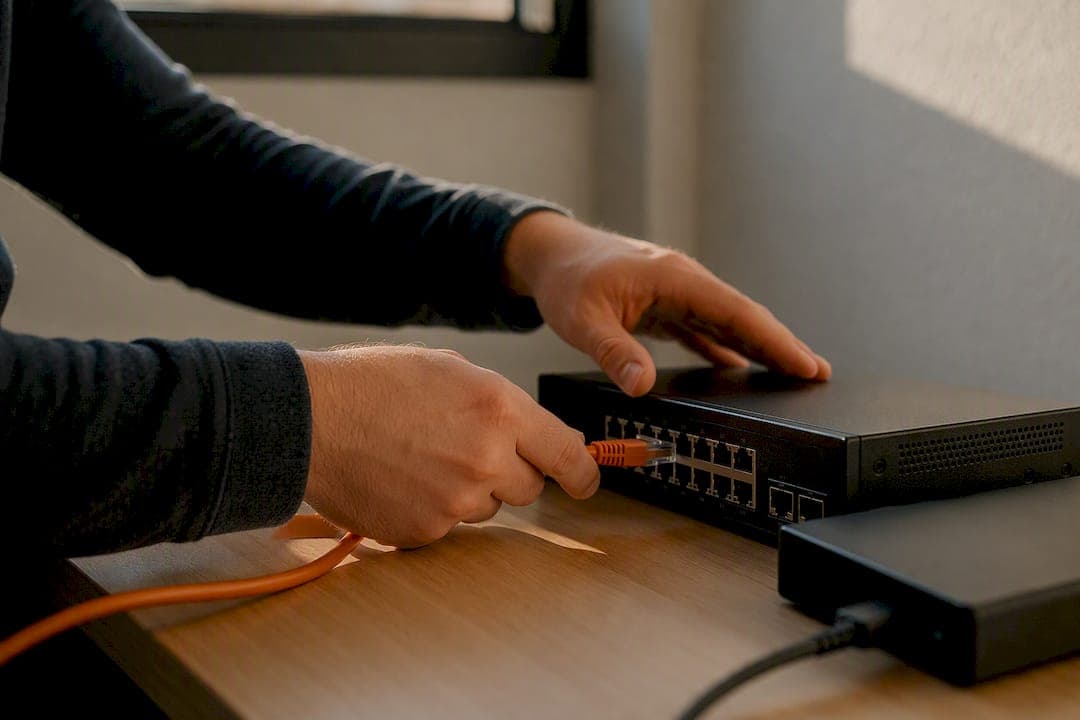
The fastest, safest way to share sensitive files is to use an encrypted file-sharing workflow that enforces least privilege, short-lived links, and centralized audit logging. Pick a provider that offers end-to-end or strong server-side encryption with TLS, and treat that as the baseline rather than the finish line. Pingfloat’s file-share tool is built around exactly this model, which is why it’s a solid default for both solo users and small IT teams who need something they can trust without a big learning curve.
Before you send anything sensitive, turn on:
-
Encryption everywhere: end-to-end or robust server-side encryption, plus TLS for every transfer in progress.
-
Least-privilege link settings: view-only where possible, an expiration date, and a download cap.
-
Identity checks: multi-factor authentication or single sign-on so only verified people can open the link.
Your first move right now: create a share, set it to expire in a short time, and turn on MFA for your account. That single habit closes most of the gap between “shared a file” and “shared a file safely.”
Key Takeaways
Secure file sharing works when encryption, least-privilege access, identity verification, and centralized logging operate together rather than as isolated fixes.
| Point | Details |
|---|---|
| Encrypt everything in transit | Use E2EE where possible, or strong server-side encryption paired with TLS for every transfer. |
| Limit access by default | Set view-only permissions, link expirations, download caps, and revoke access once it’s no longer needed. |
| Verify identity before granting access | Enable MFA and connect sharing to SSO so only verified users can open sensitive links. |
| Log and monitor every share | Centralized audit trails catch human error, the leading cause of file-sharing breaches, before it becomes a breach. |
| Choose a tool built for this workflow | Pingfloat’s file-share tool combines encrypted transfer, expiring links, hash verification, and admin controls in one free-to-start platform. |
Table of Contents
What Security Controls Should You Enable Before Sharing Files?
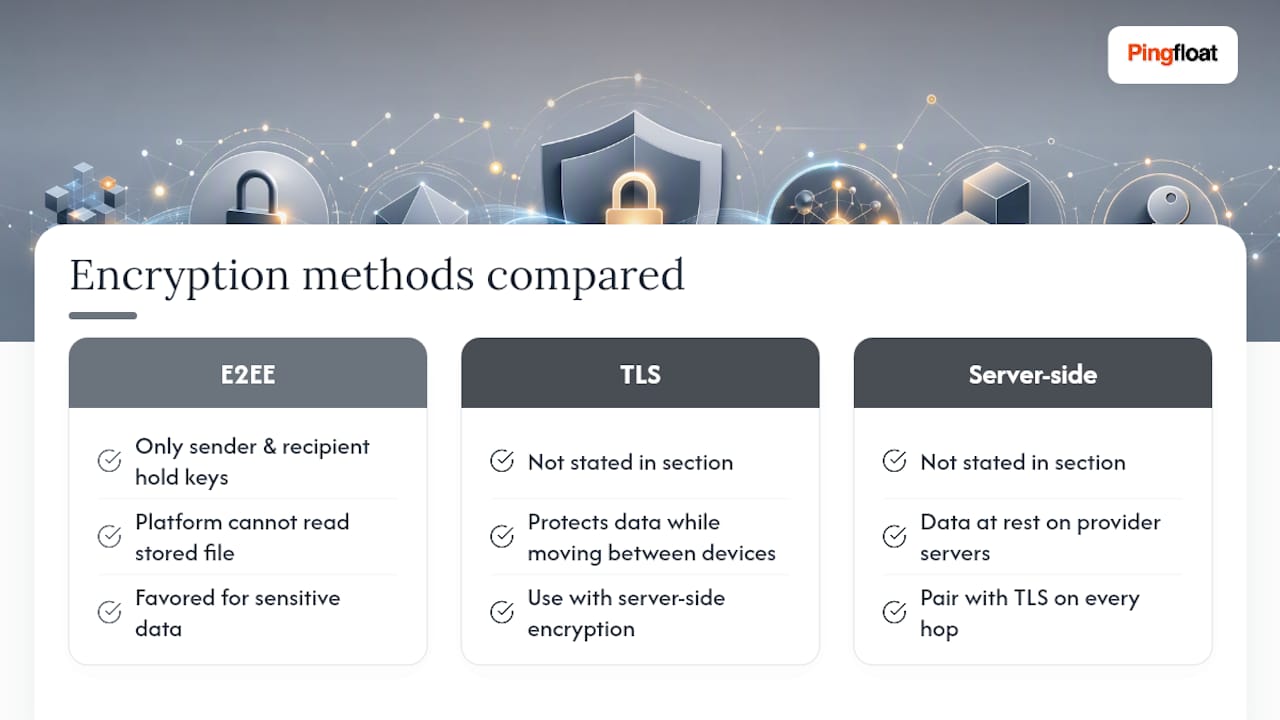
Encryption is the control everyone mentions first, and for good reason, but the type matters. End-to-end encryption (E2EE) means only the sender and recipient hold the keys, so even the platform storing the file can’t read it. Server-side encryption protects data at rest on the provider’s servers, and TLS protects it while it’s moving between devices. For anything genuinely sensitive, favor E2EE or a provider that at minimum pairs strong server-side encryption with TLS on every hop.
Access controls do the heavier lifting day to day. Set links to view-only unless editing is required, add a password on top of the link, cap the number of downloads, and set an expiration date. When the recipient no longer needs the file, revoke access instead of letting it sit active for months. Carnegie Mellon’s Information Security Office recommends classifying data first, public, internal, confidential, or restricted, and matching your sharing controls to that classification rather than applying one blanket policy to everything.

Identity controls close a different gap. MFA stops most credential-based intrusions cold, and tying sharing permissions to a managed identity provider through SSO means you’re not relying on a password someone reused three other places.
None of this works without visibility. Centralized logging, activity history, and alerts on unusual access patterns let you catch a problem in hours instead of finding out during an audit. Fortinet’s research points to human error, oversharing, misconfigured permissions, unsecured personal accounts, as the biggest driver of file-sharing breaches, which is exactly why automated logging matters more than any single encryption algorithm.
Round it out with file integrity checks. Hash verification confirms a file wasn’t altered in transit, and automatic malware scanning on upload and download catches infected files before they spread.
Pro Tip: Classify your files before you share them, not after. A five-second mental tag, “internal” versus “restricted,” changes which controls you set and takes the guesswork out of every future share.
How Do You Choose a Secure File-Sharing Solution?
Run any provider you’re considering through this checklist before committing:
-
Encryption: AES-256 server-side encryption at minimum, TLS in transit, and an E2EE option for the most sensitive files.
-
Access management: link expiration, password protection, download limits, and one-click revocation.
-
Identity integration: MFA support and SSO compatibility with your existing identity provider.
-
Audit trail: logs that capture who accessed what, when, and from where.
-
Malware scanning: automatic checks on files as they’re uploaded and downloaded.
-
Data residency options: the ability to know or choose where your files physically live.
Cost usually tracks feature depth. Free tiers typically cover encryption and basic link controls but skip audit logs, retention policies, and team seats, exactly the features a compliance-conscious business needs most. Paid plans add storage, bandwidth, multiple seats, and integrations with email or ticketing systems. A five-person team evaluating options should weigh the price of a mid-tier plan against the cost of a single mishandled client file.
When you talk to a vendor, ask directly: Who holds the encryption keys, you or them? What’s the incident response process if a breach occurs? Do they support compliance frameworks like HIPAA or GDPR, and can they document it? Vague answers to any of these are a red flag.
Setting Up Secure File Sharing: A Step-by-Step Checklist
Getting from “sharing files however” to “sharing files securely” takes less time than most people expect. Follow this order:
-
Classify your files. Tag documents as public, internal, confidential, or restricted, and note who owns each one.
-
Choose your tool. Pick a provider with end-to-end capability or strong enterprise controls, matching plan tier to your audit and retention needs.
-
Enable MFA and SSO. Lock down account access before you touch sharing settings.
-
Set least-privilege defaults. View-only links, password protection, and role-based permissions become your baseline.
-
Configure expirations and download limits. Every external share gets a lifespan and a cap.
-
Turn on malware scanning. Catch infected files at the door, both incoming and outgoing.
-
Activate audit logs and alerts. Make sure suspicious access triggers a notification, not a surprise three months later.
-
Document a sharing policy. Write down the rules so new hires and casual users follow the same standard.
-
Schedule access reviews. Quarterly cleanups catch stale permissions before they become a liability.
For a solo user, steps one through six take under an hour. A small team rolling out full governance, policy documentation, training, and review cycles, should plan for one to two weeks of gradual adoption rather than a single weekend sprint. Cost scales with team size: a quick-start setup on a free or low-tier plan costs nothing beyond time, while full audit and retention features typically live in paid tiers priced per seat.
What Are the Main Approaches to Sharing Files Securely?
Four broad categories cover most real-world needs, and each trades convenience for control differently.
-
Ephemeral link-based shares: files disappear after a set time or download count, minimizing long-term exposure for one-off transfers.
-
Password-protected encrypted bundles: the sender encrypts client-side before upload, so the server never holds a usable decryption key.
-
Managed file transfer (MFT): built for compliance-heavy environments, with full audit trails and retention policies baked in.
-
Enterprise collaboration platforms: gated sharing inside tools like Microsoft Teams, where governance and sensitivity labels apply automatically.
Ephemeral links win on simplicity and are ideal for a single sensitive document sent once. MFT and enterprise platforms win when auditors need a paper trail. Match the approach to how sensitive the file is and whether anyone will ever need to prove who accessed it.
Why Pingfloat’s Secure File Sharing Is a Practical Choice
Pingfloat’s approach maps directly onto the controls that matter most:
-
Encrypted transfer with short-lived, expiring links built in from the start.
-
A hash generator to verify file integrity before and after transfer.
-
Admin controls and activity visibility for teams managing multiple shares.
-
A free tier for casual use, with premium options for teams needing more storage and retention.
A solo developer sending a client a signed contract can generate an expiring link in seconds and confirm the recipient got an unaltered file using Pingfloat’s hash tools. A small IT team distributing configuration files internally can set download limits and check activity history to confirm only authorized machines pulled the file, no separate MFT platform required.
How Does Data Residency Affect Where Your Files Are Stored?
Where your files physically sit matters more than most people realize until a regulator asks. Data residency refers to the country or region where a provider’s servers store your files, and jurisdiction determines whose laws govern access to that data, including government requests.
A business handling European customer data under GDPR needs to know whether files sit on servers inside the EU or get routed through a US-based data center subject to different legal access rules. Healthcare organizations bound by HIPAA face a similar question: does the provider support business associate agreements, and can they confirm where protected health information physically lives?
This isn’t just a compliance checkbox. If a provider’s servers sit in a jurisdiction with weaker data protection law, or one where a foreign government can compel access, that changes your actual risk profile even if the encryption is solid. Ask any provider directly where data is stored, whether you can choose a specific region, and what happens to your files if you close your account. A provider that can’t answer clearly is telling you something.
For regulated industries, treat data residency as a first-order criterion, not an afterthought you check after picking a tool for its interface.
Author perspective and quick rationale
I’d rather deal with the minor friction of an expiring link than the aftermath of a forgotten share sitting open for a year. Usability matters, but for small teams, a slightly stricter default beats a convenient one that quietly becomes a liability.
Try Pingfloat’s Secure File Sharing Tool
Pingfloat’s file-sharing tool checks every box that matters here: encrypted transfer, short-lived links with expiration and download limits, hash verification to confirm file integrity, and admin visibility into who accessed what. It’s built for exactly the workflow this article recommends, without forcing you into a complicated enterprise rollout to get there.
If you’re sending a sensitive file today, start a secure share with Pingfloat and set an expiration before you hit send. The core tool is free to use, and it pairs well with Pingfloat’s SSL checker if you also want to confirm your own site’s transfer endpoints are properly encrypted.
Sources
-
Secure File Sharing — Carnegie Mellon University Information Security Office
-
Set up secure file sharing and collaboration with Microsoft Teams