
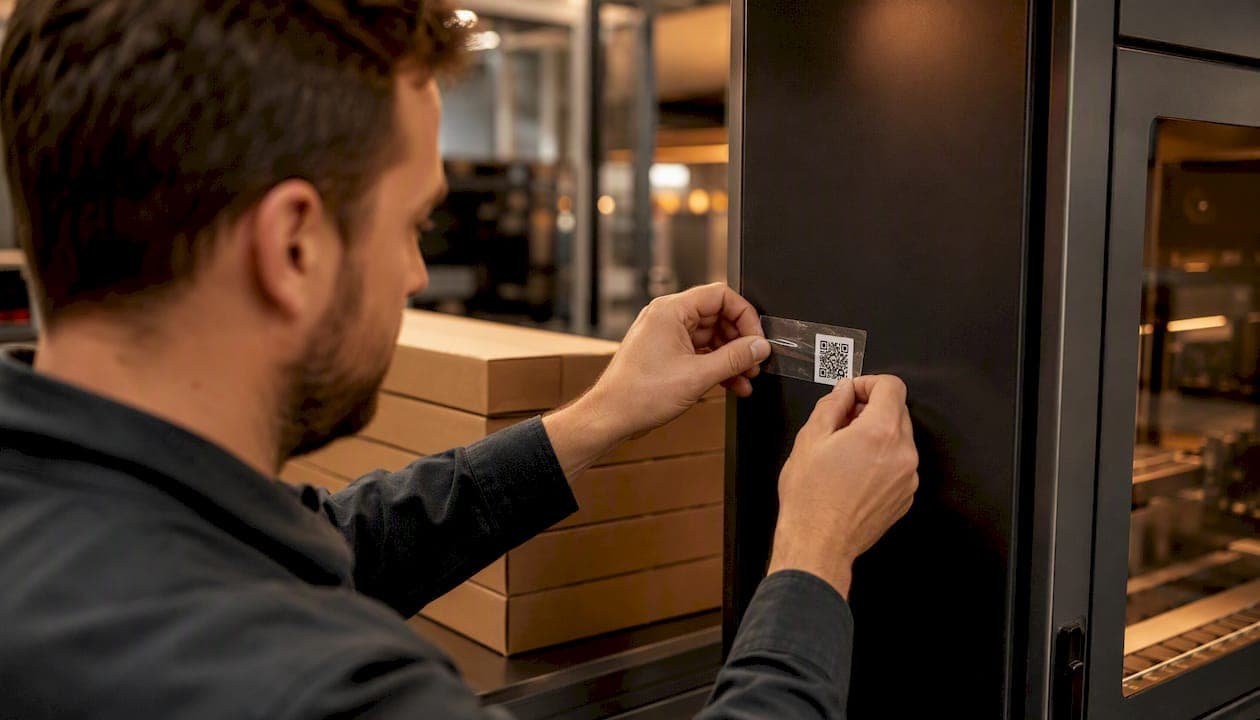
The strongest QR security comes from three patterns working alone or together: signed or session-bound payloads verified server-side for authentication, encrypted payloads for confidentiality, and copy-detection patterns or tamper-evident printing for anti-counterfeiting. Use signed codes tied to server validation for logins. Use encrypted payloads when a payment or private record can’t leak if the code is photographed by the wrong person. Use copy-detection printing when the threat is someone cloning a physical product label. Every one of these adds friction: special readers, expiring codes, or device compatibility gaps that ordinary smartphone cameras won’t handle gracefully. Standards like SQRAP and DENSO WAVE’s SQRC format the details differently, but both exist because a plain black-and-white QR code has zero built-in security, according to the Canadian Centre for Cyber Security.
Key Takeaways
Secure QR codes depend on matching the right pattern (signed, encrypted, or copy-detection) to the actual threat, not on picking the most complex option available.
| Point | Details |
|---|---|
| Match pattern to threat | Use signed codes for authentication, encrypted payloads for confidentiality, copy-detection for anti-counterfeiting. |
| Never embed PII | Store a reference token in the code and look up sensitive data server-side instead. |
| Add nonce and TTL | Expiring, single-use session identifiers stop replay attacks on captured codes. |
| Default to native cameras | Third-party scanner apps often request excessive permissions and add risk. |
| Prototype with Pingfloat | Pingfloat’s free QR generator and SSL Checker support early testing before a full secure stack. |
Table of Contents
What Makes a QR Code Actually Secure
A “secure QR code” usually means one of two different things, and mixing them up leads to bad architecture decisions. Secure by transport relies on HTTPS: the code just points to a URL, and security depends entirely on the server behind that link and how carefully the user checks it before tapping. Secure by design builds protection into the code itself through signed payloads, encrypted data, or a private data area that ordinary readers cannot see, as SQRC splits a single code into a public zone and a key-locked private zone.
The types you’ll run into most often:
-
Static public QR — fixed content, no server check, fine for a restaurant menu, risky for anything sensitive.
-
Dynamic/serialized QR — the code points to a server that can update or revoke the destination.
-
Signed/session-bound QR — cryptographically signed, often used for login flows per the SQRAP pattern.
-
Encrypted QR payloads — the data itself is unreadable without a key, useful for payments or medical records.
-
SQRC/private-area QR — a hybrid public/private code readable in full only by dedicated SQRC readers.
-
Copy-detection patterns — forensic printing marks designed to degrade visibly when photocopied or photographed for cloning.
Static and dynamic codes work with any smartphone camera. Signed and encrypted variants often need a specific app or reader that holds the right key.
The Cryptography Behind Signed and Encrypted Codes
Digital signatures work by binding a payload to a private key that only the issuer holds; anyone scanning the code can verify the signature against a public key without ever exposing the secret itself. That’s the backbone of SQRAP’s approach to authentication: the QR code carries a session identifier, and the server checks the signature before trusting it.
Encrypted payloads solve a different problem. Where signing proves origin, encryption hides content. A study on encrypted QR codes for payments found that encrypting the QR image itself, combined with tightly protected decryption seeds, blocked unauthorized reuse while still processing fast enough for point-of-sale transactions. The catch: someone has to distribute those keys securely, which is its own operational burden.
Copy-detection patterns work more like a forensic fingerprint. If you print a pattern dense enough, any copy machine, camera, or reprint introduces detectable noise, flagging the clone even if the visible QR data matches perfectly.
Server-side validation ties it together. A short-lived nonce or TTL (time-to-live window) means a scanned code that gets photographed and replayed later simply fails the freshness check.
-
Signed payload: proves who issued the code.
-
Encrypted payload: hides what the code contains.
-
Copy-detection pattern: proves the physical object wasn’t cloned.
-
TTL/nonce plus server check: stops replay of an otherwise valid code.
Pro Tip: Test your TTL window against real-world scan latency first. A short expiration period sounds secure until a customer fumbles their phone and the code dies before the camera focuses.
Common QR Attacks and How to Stop Them
Quishing, QR-based phishing, is now common enough that the FBI’s IC3 unit issued a public advisory warning that attackers swap real codes for malicious ones in parking meters, restaurant tables, and shipping notices. The Canadian Centre for Cyber Security notes that QR codes are inherently passive: they carry no verification of their own, so the entire trust burden sits on the scanning device and the person’s judgment.
The attacks worth planning around:
-
Quishing / malicious URLs — mitigate by verifying the destination domain and requiring HTTPS before any redirect.
-
Physical overlay or cloning — a sticker pasted over a legitimate code; mitigate with copy-detection printing and routine physical inspection, something the NCSC specifically flags for codes in public spaces.
-
Replay attacks — a valid code reused after it should have expired; mitigate with nonces and TTLs.
-
Tampering — altering payload data; mitigate with digital signatures that fail verification on any change.
-
Malicious scanner apps — third-party scanners that request excessive device permissions; mitigate by defaulting to the phone’s native camera.
Set up a reporting channel for staff or customers who spot a code that looks wrong, and control who has access to your printing process. Cloning is trivial when anyone can print a sticker and slap it over the original.
Choosing Between Signed, Encrypted, and Copy-Detection Approaches
The right pattern depends on what you’re actually protecting against, not which technology sounds most advanced.
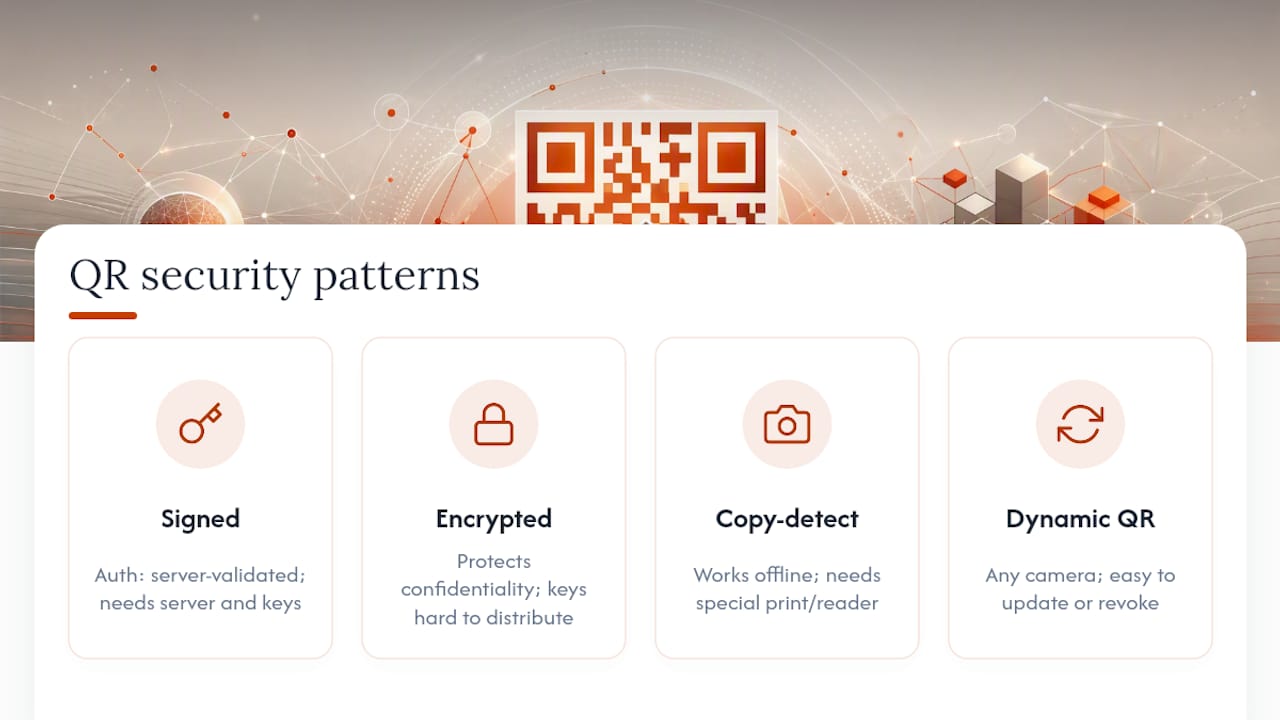
For authentication (proving a user or device is who it claims to be), signed or session-bound QR codes validated server-side are the standard, following the approach SQRAP documents. Pros: no need to hide the payload, just verify it. Cons: requires server infrastructure and key management on your end.
For confidentiality (payment details, medical data, anything that shouldn’t be readable if intercepted), encrypted payloads are the right call. Pros: data stays protected even if the physical code is photographed by someone unauthorized. Cons: key distribution is genuinely hard at scale, and you often need a purpose-built scanner.
For anti-counterfeiting (proving a physical product or label is genuine), copy-detection patterns or SQRC’s private-area format raise the cost of cloning. Pros: works even offline, no server round-trip needed. Cons: requires specialized printing or reader hardware, and neither stops someone from screenshotting the visible portion of a code.
For ease of use, plain dynamic QR with server-side lookups wins. Pros: works with any camera, easy to update or revoke. Cons: security is only as strong as the destination server and the user’s own vigilance.
Hybrid designs often make the most sense: a signed payload with a server check for authentication use cases, or an encrypted payload with a public fallback pointer for degraded-network scenarios. Whatever you pick, budget for key management overhead, a controlled print chain, and a fallback path for scanners that can’t handle the advanced format.
A Step-By-Step Checklist for Secure QR Deployment
-
Pick your architecture first. Decide whether you need signed (authentication), encrypted (confidentiality), or copy-detection (anti-counterfeiting) before writing a single line of code.
-
Keep the payload minimal. Never embed personally identifiable information directly in a QR code; store a reference token and look up the details server-side, consistent with SQRAP’s recommendation against embedding shared secrets.
-
Add a nonce and TTL. Every session-bound code should expire, so a captured screenshot can’t be replayed hours later.
-
Enforce TLS on every destination. Any URL a code resolves to should run HTTPS, full stop.
-
Lock down key management. Rotate signing keys on a schedule and store them the way you’d store any production secret, not in a shared spreadsheet.
-
Secure the print chain. Control who can generate and print physical codes, and use tamper-evident stock for high-value labels.
-
Train staff to spot overlays. A five-minute walk-through on what a tampered code looks like catches more fraud than any software control.
-
Build an incident channel. Give customers and employees an obvious way to report a code that looks suspicious.
Pro Tip: Run a “cold scan” test with a two-year-old Android phone in direct sunlight. Half of secure-QR failures in the field trace back to a scanner that simply couldn’t read the code fast enough, not to a cryptographic flaw.
Standards Worth Reading Before You Build
Read the primary specifications before adopting a vendor’s proprietary approach. SQRAP documents the authentication flow: QR as a transport for session identifiers, secured with nonces and signatures. SQRC covers the private-area format for hiding data from ordinary readers. The MDPI payment-encryption study is worth reading for anyone building encrypted payloads, since it walks through real performance trade-offs rather than marketing claims. An open-source project called CipherQR demonstrates ephemeral keys and forward secrecy in working code, useful for engineers who want to see the pattern implemented rather than just described.
Testing a Secure QR System Before You Launch
Before rollout, run through:
-
Signature validation against tampered and untampered payloads.
-
Replay tests to confirm expired TTLs actually get rejected.
-
A device compatibility matrix across older Android and iOS camera apps.
-
Print/scan robustness at realistic distances and lighting.
-
Overlay and copy-detection tests using an actual photocopy or phone photo of the printed code.
After launch, watch scan analytics for anomalies: unexpected geographies, sudden spikes, or scans from regions that shouldn’t be scanning that code at all. Automated URL safety checks on every destination catch a compromised endpoint before customers do. Pilot in one location, gather telemetry, then expand.
When Pingfloat’s QR Tool Fits Into a Secure Workflow
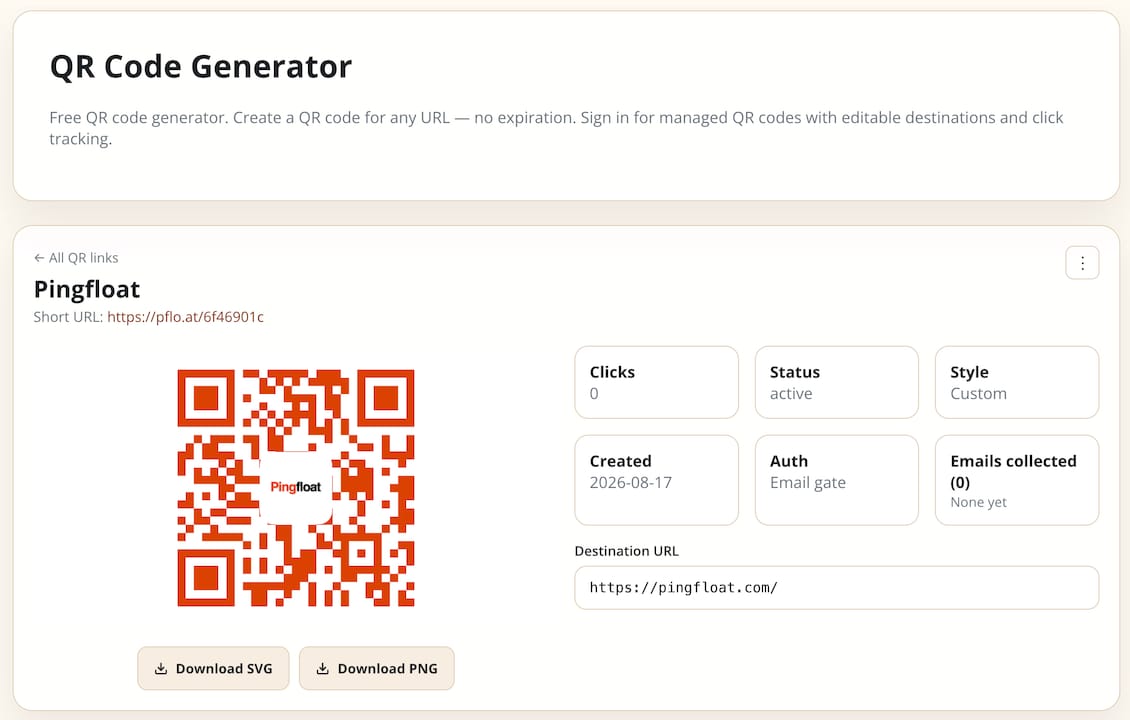
For a quick proof-of-concept, Pingfloat’s free QR code generator is a reasonable place to start testing static and managed QR workflows before committing to a full cryptographic stack. Pair it with the JWT Decoder to inspect signed payload structures during development, or file sharing for distributing keys during a controlled pilot. Once you need dedicated hardware readers or enterprise-grade copy-detection printing, that’s a separate, more specialized investment.
Test Your Secure QR Endpoints Before You Ship
Every secure QR pattern in this article, whether signed, encrypted, or copy-detected, eventually points back to a server, and that server’s TLS configuration is where a lot of otherwise solid designs quietly fail. Pingfloat gives you the free tools to check that side of the equation without waiting on a security vendor’s onboarding call.
-
Free QR code generator for quick static or managed prototypes.
-
SSL Checker to confirm the destination behind your code is actually running valid TLS.
-
Response Headers Inspector to verify security headers on the endpoint before it goes live.
Run your QR destination through the SSL Checker before your next print run goes out the door.
Frequently Asked Questions
Are encrypted QR codes different from signed QR codes? Yes. Signing proves who created the code and detects tampering; encryption hides the payload’s contents so only someone with the right key can read it. Many secure deployments use both together.
Can a regular smartphone camera scan a secure QR code? Static and dynamic QR codes scan fine with any native camera app. Signed, encrypted, or SQRC private-area codes often need a dedicated app or reader that holds the correct key.
What’s the single biggest mistake teams make with QR security? Embedding personally identifiable information or shared secrets directly in the payload. SQRAP’s guidance explicitly recommends a reference token looked up server-side instead.
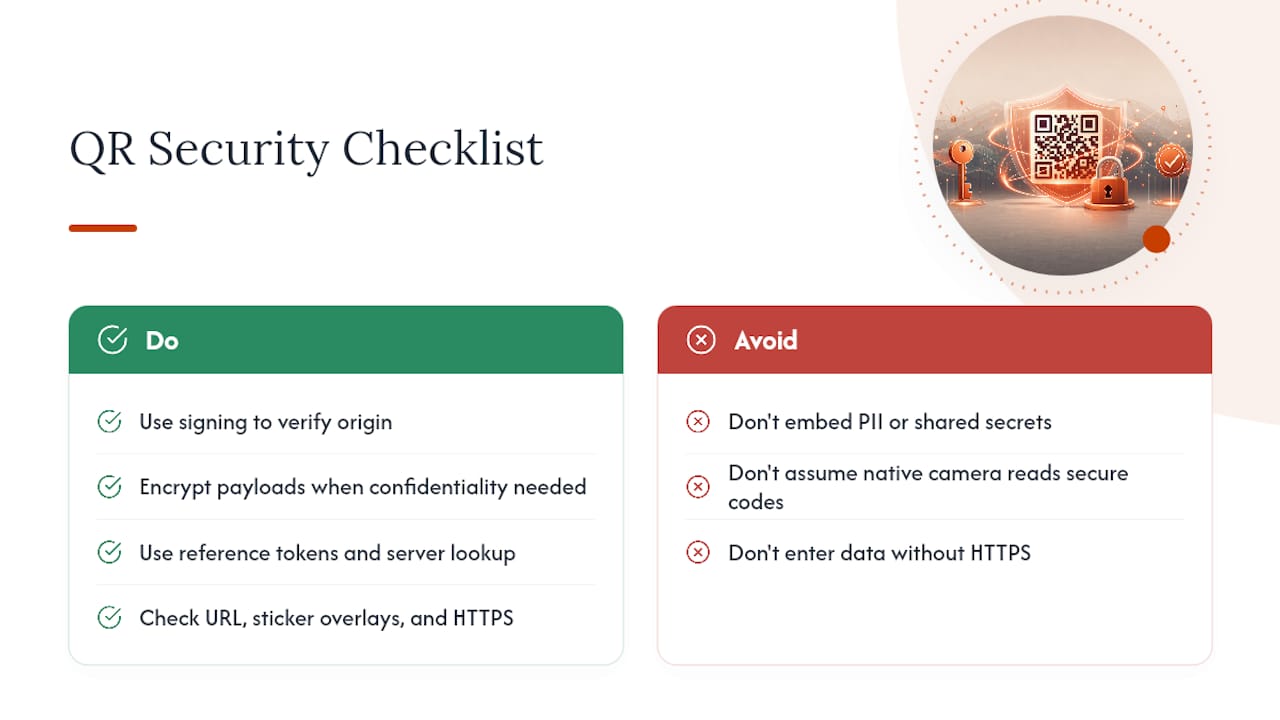
How do I know if a public QR code has been tampered with? Look for a sticker overlaying the original, check that the destination URL matches what you’d expect, and confirm the connection uses HTTPS before entering any information, per Duke University’s security guidance.
Sources
-
Security considerations for QR codes ITSAP.00.141 - Canadian Centre for Cyber Security
-
QR Code Security Guide | Information Security - Duke University