

The best approach to SSL certificate monitoring combines automated discovery, external multi-vantage checks, and post-renewal deployment validation, because expiration alone rarely causes outages. Silent renewal failures are a key cause: automation may renew a certificate but the server might still serve the old one, so only an external check can reveal this gap before users encounter issues.
Three things you can do in the next 30 minutes:
- Run a discovery scan across every domain, subdomain, and internal endpoint you can find.
- Add your main customer-facing domains to an external monitor with staged alert schedules in advance of expiration.
- Use Pingfloat's SSL Checker to confirm what's currently deployed on each one, right now, before you build anything else.
Key Takeaways
Proactive SSL certificate monitoring prevents outages by combining automated discovery, staged expiration alerts, and external validation that confirms a renewed certificate was actually deployed.
| Point | Details |
|---|---|
| Discovery comes first | Scan for forgotten subdomains, internal APIs, and non-standard ports before building alert rules. |
| Deployment failures cause outages | Auto-renewal can succeed while the server still serves the old certificate; only external checks catch this. |
| Stage your alert thresholds | Use lead times like 30/14/7/1 days with escalating channels from email to pager. |
| Assign owners, not just tools | Routing alerts by team owner cuts response time and reduces alert fatigue. |
| Validate fast with Pingfloat | Use the free SSL Checker and Uptime Monitor for quick post-renewal validation and discovery triage. |
Table of Contents
- What Does SSL Certificate Monitoring Actually Check?
- What Features Should You Insist On When Evaluating a Tool?
- Why Do Certificates Still Expire Even With Monitoring in Place?
- How Do You Set Up SSL Expiration Alerts That Actually Work?
- SaaS Checks, Agents, or Both: Which Architecture Fits Your Network?
- What Should Zero-Downtime Certificate Management Actually Prioritize?
- How Can Pingfloat Help You Validate and Triage Certificates?
- Where Can You Learn More About Certificate Monitoring Setup?
- Frequently Asked Questions About SSL Certificate Monitoring
- Sources
What Does SSL Certificate Monitoring Actually Check?
A credible SSL certificate monitoring tool checks more than the expiration date. It verifies the full chain and issuer, confirms the hostname matches the certificate's SAN or CN entries, checks revocation status, flags weak key lengths or outdated algorithms, and tests protocol support on every open port, not just 443.
Each check maps to a real failure:
- Expiration date: the classic outage trigger, but the least interesting one because it's the easiest to prevent.
- Chain and issuer validation: catches broken intermediate certificates that browsers reject even when the leaf cert looks fine.
- Hostname (SAN/CN) match: catches misconfigured multi-domain certs serving the wrong name.
- Revocation status: flags certificates pulled by the CA before you noticed.
- Post-renewal presentation: confirms the server is actually serving the new certificate, not just that one exists somewhere.
Coverage matters as much as depth. Monitoring public domains only misses subdomains, internal APIs, mail servers, and services running on non-standard ports, all of which have caused real outages when nobody was watching.
What Features Should You Insist On When Evaluating a Tool?
Most vendors offer expiration date alerts and email notifications as a basic feature. Here's what separates a monitoring setup that actually prevents downtime from one that just adds noise to your inbox.
Discovery and inventory. Look for automated subnet and subdomain discovery that builds a live certificate inventory, because certificate management gets exponentially harder as infrastructure grows, and forgotten subdomains are where outages hide.
Multi-vantage and distributed checks. External checks from multiple geographic locations catch CDN misconfigurations and regional routing issues a single check point would miss entirely. For internal-only services, you need agent-based checks that can reach non-routable hosts.

Configurable thresholds and routing. You want multiple lead times, not one. Paessler's PRTG documentation describes vendor defaults like a 90-day warning and 30-day critical threshold, both of which you should be able to override per team.
Deployment validation. After a renewal fires, something has to confirm the new certificate is actually being served. This is the single most overlooked feature in cheap monitoring tools.
Integrations and APIs. Webhooks, CI/CD test hooks, and exportable logs matter for incident platforms and audit evidence, not just dashboards.
Pricing model. Some vendors charge per sensor, some per domain. Know which one before you scale past your trial.
Support and onboarding. Documentation with real API examples and clear check-frequency limits tells you a lot about how the product will behave at 2 a.m.
Pro Tip: Test a candidate tool against a certificate you've already deliberately let expire on a staging domain. If it doesn't catch it within its stated check interval, don't buy it.
Why Do Certificates Still Expire Even With Monitoring in Place?
Monitoring fails for predictable, repeatable reasons, and almost none of them are "nobody set up an alert."
The most common failure is silent auto-renewal breakage. The renewal script runs, a new certificate gets issued, and the deployment step to push it live fails quietly. The old certificate keeps serving traffic until it expires on schedule, at which point everyone acts surprised. Encryption Consulting's analysis of certificate outages identifies this exact pattern as the most frequent cause of certificate-related downtime, and notes that only an external monitor checking what the server actually presents can catch it.
The renewal isn't the problem, the deployment is. Automated renewal tools verify that a new certificate was issued, but very few verify that it was actually loaded by the web server, load balancer, or reverse proxy in front of it.
Two other patterns show up constantly:
- Missing discovery. Internal APIs, mail services, and non-standard ports never get added to the monitoring list because nobody remembers they exist until they fail.
- Alert fatigue. A single 30-day warning email that nobody owns gets ignored for weeks. Staged thresholds with clear ownership solve this; a flat single alert does not.
The fix isn't more monitoring. It's better-targeted monitoring: mandatory discovery scans, an assigned owner per certificate, staged alerts, and a post-renewal check that confirms deployment, not just issuance.
How Do You Set Up SSL Expiration Alerts That Actually Work?
Build this in order, and don't skip steps to save time. Skipping discovery is how you end up monitoring 40 domains while 12 more quietly expire.
- Run a full discovery scan across public domains, subdomains, internal services, and any non-standard ports (mail, LDAPS, custom APIs).
- Tag every certificate with an owner. Assigning ownership by team rather than by tool is what actually gets alerts acted on instead of ignored.
- Configure primary and backup notification channels so an outage doesn't hinge on one person's inbox.
- Set a test renewal on a staging certificate and confirm your monitor detects both the renewal and the deployment.
- Document the runbook for each escalation level so a 2 a.m. page doesn't turn into a scramble for context.
A staged threshold pattern like the one below works for most teams and mirrors the defaults many monitoring platforms ship with, per Paessler's own threshold guidance.
| Days Before Expiration | Alert Level | Typical Channel |
|---|---|---|
| 30 | Warning | |
| 14 | Elevated | Email + Slack |
| 7 | Critical | Slack + SMS |
| 1 | Emergency | Pager/on-call |
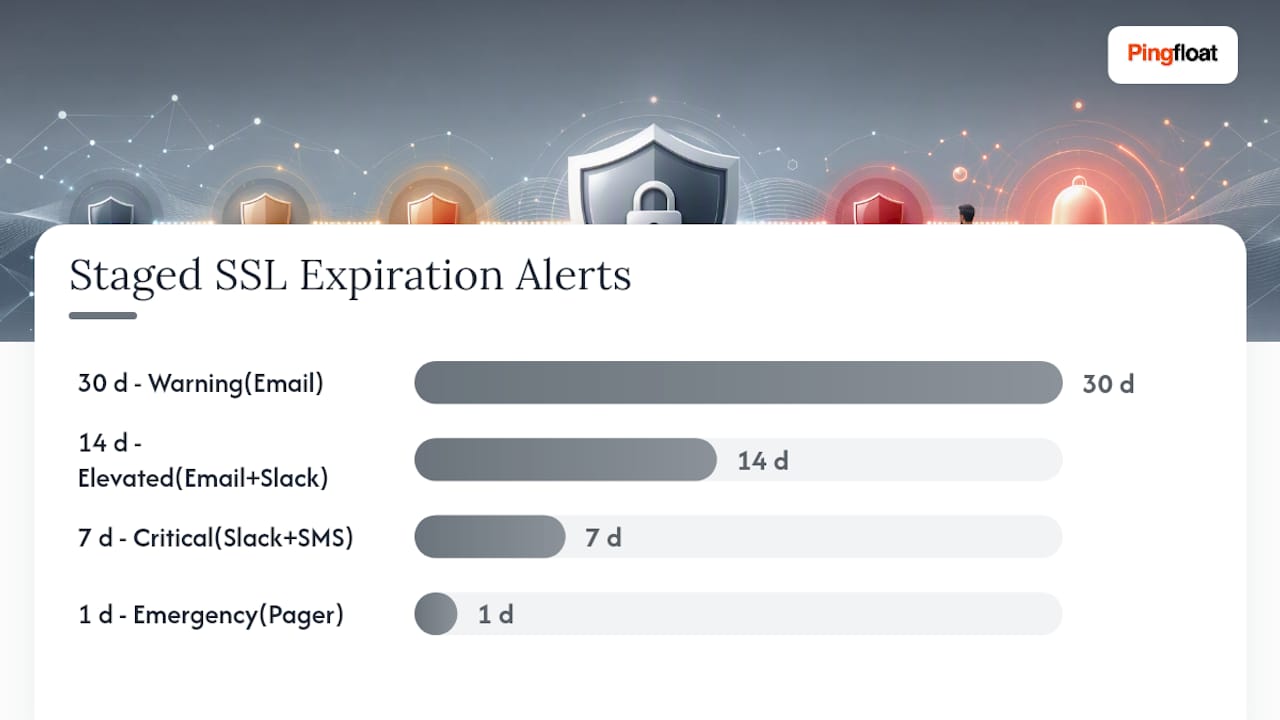
External checks belong at the top of this chain, confirming public-facing presentation. Internal agents handle everything behind the firewall that a SaaS-only check can't reach.
SaaS Checks, Agents, or Both: Which Architecture Fits Your Network?
SaaS-only external checks deploy fastest and work well for public sites where you just need reliable expiration and presentation validation from the outside.
Distributed agents become necessary once you have internal-only services, non-routable hosts, or segmented networks that an external probe simply can't reach. Open-source projects like SSLTrack demonstrate this pattern well: agents check certificates from multiple network locations, including non-standard ports like LDAPS 636 or SMTPS 465, and post results to a central server with a browser dashboard.
Hybrid setups combine both: SaaS checks validate what the public sees, agents validate what's happening behind the firewall. If you go this route, implement a heartbeat for each agent, because a silent agent failure creates the exact blind spot you built the system to avoid. Authentication between agents and the central server, plus a single dashboard showing both views, keeps the whole setup from becoming three separate monitoring systems nobody trusts equally.
What Should Zero-Downtime Certificate Management Actually Prioritize?
Most teams over-invest in alerting and under-invest in discovery. You can have a beautiful escalation chain and still get burned because nobody added the internal billing API to the inventory.
If I had to rank priorities for a team serious about eliminating certificate-related downtime, discovery comes first, deployment verification comes second, and staged alerting comes third. In that order, not reversed. A team with perfect alerts but incomplete inventory is still exposed.
Measure it with three numbers: percentage of certificates actually inventoried, time-to-detect a failed deployment, and expired-certificate incidents per year. If that last number isn't trending toward zero, the first two are broken.
How Can Pingfloat Help You Validate and Triage Certificates?
Before you commit to a full monitoring platform, you need a fast way to check what's actually deployed right now. Pingfloat's SSL Checker does exactly that: point it at any domain and see the live certificate, chain, and expiration in seconds, free, with no account required.

Pair it with the Website Uptime Monitor for multi-vantage checks that confirm your site is reachable and serving the right certificate from more than one location. Together, they cover the two moves that matter most in the first hour after any renewal: verify the certificate presented and confirm the site is actually up. Run a quick discovery pass across your domain list with both tools before you commit budget to a full monitoring vendor, then use what you find to scope out your real inventory. Start with the SSL Checker on your riskiest domain today.
Where Can You Learn More About Certificate Monitoring Setup?
For teams building out a full monitoring stack, these resources go deeper than a vendor's feature page:
- Encryption Consulting's guide to avoiding certificate outages breaks down deployment failure patterns in detail.
- SSLTrack on GitHub is a solid open-source reference for building agent-based internal monitoring.
- Paessler's PRTG SSL monitoring documentation covers threshold defaults and port-level checks.
- CISO Safe offers governance templates useful for certificate ownership and escalation runbooks.
- Blue Team Academy's guide to scaling security controls covers integrating certificate checks into CI/CD workflows.
- Pingfloat's Reference section has networking and HTTP documentation useful for building internal runbooks.
Frequently Asked Questions About SSL Certificate Monitoring
How often should I check SSL certificate expiration? Daily checks are standard for production domains. Most monitoring tools run checks every 24 hours by default, with the option to increase frequency during renewal windows.
What's the difference between an SSL certificate checker and continuous monitoring? A checker like Pingfloat's SSL Checker gives you a point-in-time snapshot. Continuous monitoring runs that same check automatically on a schedule and alerts you when something changes, which is what actually prevents surprise expirations.
Can automated SSL monitoring replace manual certificate audits? It handles expiration and presentation checks reliably, but a periodic manual audit still catches things automation misses, like orphaned certificates issued outside your normal workflow.
What alert thresholds should I use for SSL expiration alerts? A staged pattern of 30, 14, 7, and 1 day works for most teams, with escalating channels at each stage moving from email to Slack to SMS or pager.
Does SSL certificate monitoring cover internal services too? Only if you deploy agents or run checks from inside your network. External SaaS-only checks typically can't reach non-routable internal hosts, which is why hybrid architectures exist.
Sources
- How to avoid certificate outages — Encryption Consulting
- zimbres/ssltrack — GitHub
- Cybersecurity awareness training — Blue Team Academy