

Run Google's Rich Results Test first to see whether your page qualifies for specific rich features, then follow up with the Schema Markup Validator to check broader Schema.org conformance. Make sure the page is publicly reachable, or use a tunnel like ngrok if you're testing something still on staging. That two-step sequence catches both eligibility problems and structural syntax errors before either one costs you visibility in search results.
TL;DR:
- Running the Rich Results Test first confirms whether your page is eligible for specific rich features, while the Schema Markup Validator checks structural schema correctness.
- Use URL mode for live pages and code or paste mode for testing snippets or unpublished content, ensuring correct formatting and access.
- Valid JSON-LD must be free of syntax errors like trailing commas, and missing required properties will prevent rich result display despite passing the syntax check.
- Even with valid schema markup, Google might restrict or deprecate certain rich result types, making warnings in the Rich Results Test crucial for ongoing eligibility.
- Automate schema validation in CI/CD pipelines and perform recurring audits to maintain eligibility as content and templates evolve over time.
Table of Contents
- Rich Results Test vs. Schema Markup Validator: Which One Do You Need?
- How Do You Test a Live URL vs. a Pasted Snippet?
- What Syntax Errors and Missing Properties Block Rich Results?
- Why Can Valid Structured Data Still Fail to Show a Rich Result?
- How Do You Build Structured Data Testing Into Your Workflow?
- What Matters Most When Engineering Time Is Limited
- Test, Fix, and Monitor Schema With Pingfloat's Free Tools
- Official Docs and Validators to Bookmark
- Sources
Rich Results Test vs. Schema Markup Validator: Which One Do You Need?
These two tools answer different questions, and mixing them up wastes time.
The Rich Results Test tells you whether Google will actually show a rich result for a given page. It reports which rich result types it found, flags Google-specific warnings, and gives you a visual preview of what the listing could look like. It requires the page to be publicly accessible, since Google's fetcher needs to load it the way a real crawler would.
The Schema Markup Validator works differently. It extracts JSON-LD, RDFa, or Microdata from a page and checks it against the Schema.org vocabulary itself, independent of what Google decides to display. This is where you catch structural problems: a missing type, a malformed nested object, a property that doesn't exist in the spec. It can also parse markup injected by JavaScript, which matters if your framework builds structured data client-side.
Google's own guidance backs this order: start with the Rich Results Test for eligibility, then use the Schema Markup Validator for conformance.
A few supporting tools round out a solid testing setup:
- A JSON linter or formatter to catch malformed syntax before you even open a validator.
- An HTML validator to rule out markup extraction failures caused by broken page structure.
- CI tooling that runs schema checks automatically on every deploy.
JSON-LD is the format most developers reach for first, mainly because it lives in a single script tag and doesn't require you to sprinkle attributes through your HTML like Microdata does.
How Do You Test a Live URL vs. a Pasted Snippet?
Testing structured data breaks down into a handful of repeatable steps, whether you're checking a page that's already live or a snippet still sitting in a pull request.
- Pick your mode. Use URL mode for anything already published. Use Code or Paste mode when you're testing a snippet in isolation or a page that hasn't shipped yet.
- Set the right user agent. Most tools default to a mobile crawler, which matches how Google indexes the majority of sites today. Switch it manually if your markup behaves differently for desktop.
- Handle access restrictions. If the page sits behind authentication, a firewall, or a local dev server, the validator simply can't reach it. Expose it through a tunnel like ngrok so the fetcher can load the assets it needs.
- Clean the JSON before you paste it. Extract the JSON-LD block and run it through a JSON formatter first. A single stray comma will stop a validator cold before it even gets to checking your schema types.
- Rerun after every fix. Don't assume one change solved everything. Rerun the full test.
Pro Tip: Keep a saved copy of your last passing JSON-LD block somewhere handy. When a new deploy breaks something, diffing against that known-good version is faster than reading error messages from scratch.
What Syntax Errors and Missing Properties Block Rich Results?
Most structured data failures fall into one of two buckets: the JSON doesn't parse, or it parses fine but is missing what Google needs to consider it eligible.
Malformed JSON is the more common failure and the easier one to spot. Unclosed braces, trailing commas, and duplicate keys will stop extraction entirely. A validator that can't parse your JSON-LD won't even get to the point of checking your schema types.
The second bucket is subtler: valid JSON that's missing required properties. A Product type without price and availability won't generate a rich result, even though the syntax is perfectly clean. An Article type missing author or datePublished runs into the same wall.
It helps to separate errors from warnings. Errors block parsing outright and need to be fixed immediately. Warnings flag recommended fields you're missing, and while they won't stop your markup from working, ignoring them regularly costs you eligibility for enhanced display features.
Here's a broken snippet and its fix side by side:
"offers": {
  "@type": "Offer",
  "price": "29.99",
  "priceCurrency": "USD",
}
That trailing comma after "USD" will break parsing in most strict JSON parsers. Remove it, and the object closes cleanly.
Practitioners have also flagged a failure mode that no validator catches: markup that describes something different from what's actually visible on the page. A Product schema listing a price your page doesn't show is a policy violation, not a syntax error, and it won't show up in any error log.
Why Can Valid Structured Data Still Fail to Show a Rich Result?
Passing a validator and earning a rich result are two different accomplishments, and confusing them is where most teams get stuck.
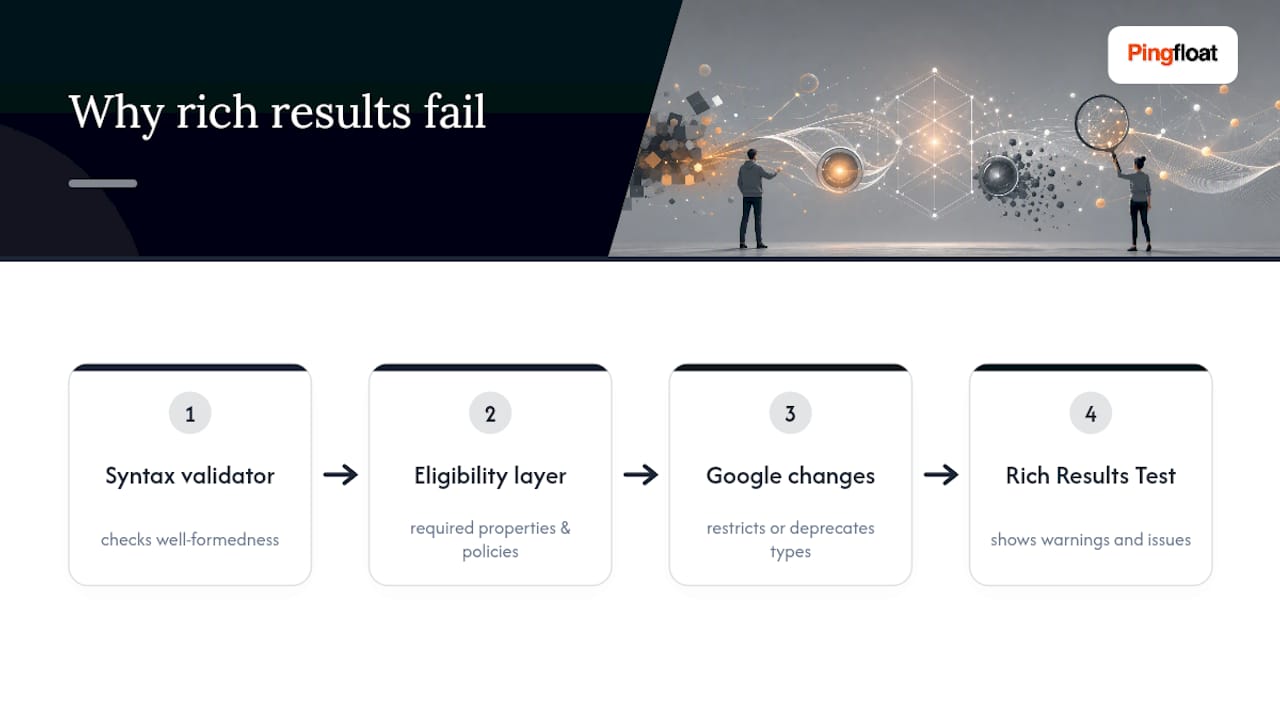
A syntax validator checks whether your markup is well-formed. It has no opinion on whether Google will actually display anything based on it. Eligibility is a separate layer entirely, governed by required properties, content policies, and rules that change over time.
Google periodically restricts or deprecates rich result types altogether. FAQPage markup lost broad eligibility and HowTo saw similar restrictions, both without any change to what counts as valid Schema.org syntax. Markup that worked last year can quietly stop producing results this year, with zero errors thrown anywhere.
Once your syntax is clean, rerun the Rich Results Test and read every warning it surfaces. That's where restriction and policy issues actually show up, not in a generic Schema.org check.
How Do You Build Structured Data Testing Into Your Workflow?
Testing structured data once before launch isn't enough. Templates change, content management systems get upgraded, and a field that populated correctly for a year can silently go blank after a redesign.
- Check markup locally during development, using paste mode against your raw JSON-LD.
- Tunnel staging pages for a realistic test before anything ships.
- Run a final check against the live URL before or immediately after deploy.
- Wire schema validation into CI/CD so a build fails on syntax errors, the same way a broken unit test would.
- Schedule recurring site-wide audits to catch regressions introduced by template or CMS changes.
Set up monitoring that alerts you when a schema regression hits production, and keep a running changelog of schema updates so you can trace exactly when something changed. Pingfloat's Schema Markup Validator pairs naturally with its JSON formatter and HTML validator for exactly this kind of recurring check.
Pro Tip: Treat your JSON-LD templates like production code. If a product template generates schema for 10,000 pages, a single bad conditional breaks all 10,000 at once, not just the page you happened to test.
What Matters Most When Engineering Time Is Limited
If you're triaging with limited hours, fix eligibility for your highest-value schema types first: Products, Articles, Events. Those drive the most visible search real estate. Automate the repetitive syntax checks and save human review for policy-sensitive types like FAQ or HowTo, where the rules shift without warning. Quick syntax wins feel productive, but without ongoing monitoring, the same regressions creep back in within a few template updates.
— Andreas
Test, Fix, and Monitor Schema With Pingfloat's Free Tools
If you're running structured data checks by hand across dozens of templates, you already know how fast that gets unmanageable. Free tools are available to help developers close that loop without adding another paid tool to the stack.

The Schema Markup Validator checks Schema.org conformance directly, and it sits alongside a JSON formatter for cleaning up malformed JSON-LD before you rerun a test, and an HTML validator for catching the page-structure issues that quietly break markup extraction. Pair those with uptime monitoring so you know the moment a page carrying critical schema goes down or starts returning errors. Core tools are available at no cost, making it realistic to run these checks on every deploy instead of only before a big launch. Paste your JSON-LD into the schema checker now, or set up uptime monitoring on the pages that carry your highest-value markup.
Official Docs and Validators to Bookmark
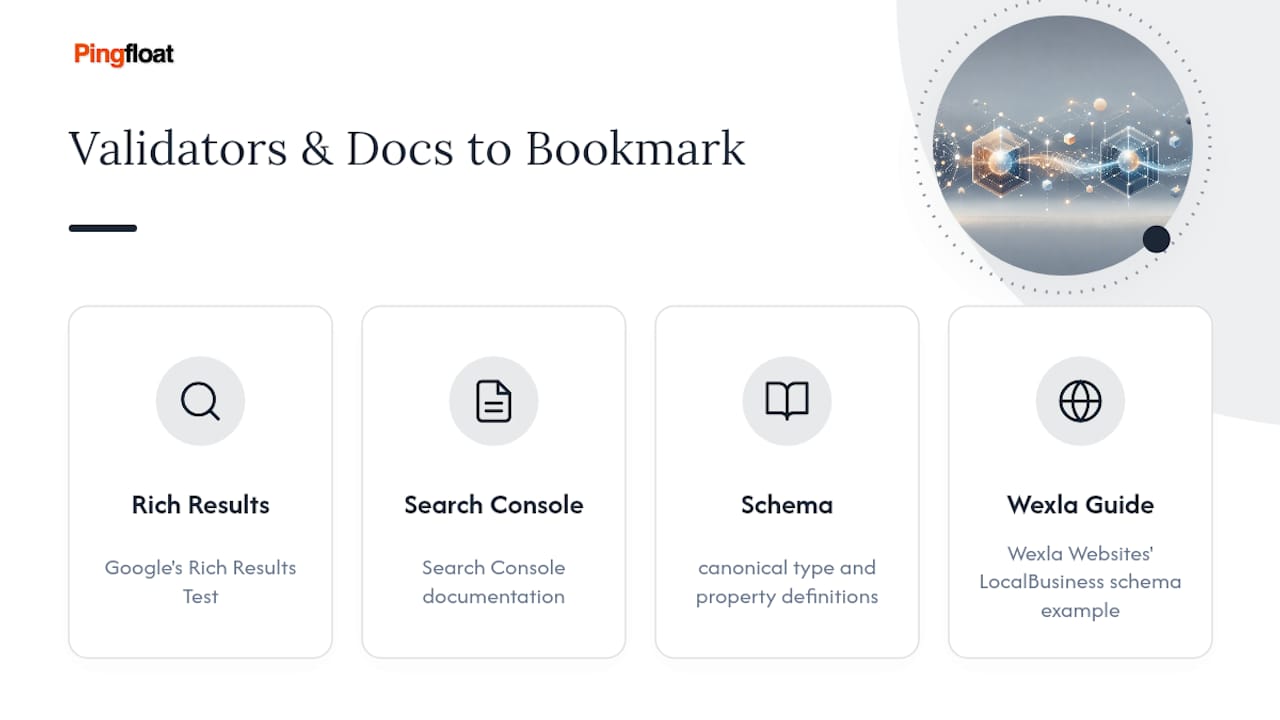
For definitive rules, keep Google's Rich Results Test and its Search Console documentation close at hand, along with the Schema for canonical type and property definitions, and Wexla Websites' guide to LocalBusiness schema for a practical implementation example.
Sources
- Rich Results Test - Google Search Console
- Schema Markup Testing Tool | Google Search Central
- Rich Results Test - Search Console Help
- Schema validator notes