

A Unix timestamp is a single number: the count of seconds that have passed since 00:00:00 UTC on January 1, 1970, a moment called the Unix epoch. Python's documentation uses the same definition and notes that leap seconds are typically not counted. The number says nothing about time zones. It names one instant, and your software decides how to show it as a date on a calendar.
This guide covers how to read a timestamp, how to convert it to a date and back, why seconds and milliseconds get confused, how time zones change what you see, and what happens in 2038. If you just need a quick answer, paste your number into our Unix timestamp and epoch converter.
TL;DR
- A Unix timestamp counts seconds since January 1, 1970, 00:00:00 UTC. It is the same number everywhere on Earth at the same instant.
- Count the digits: about 10 means seconds, about 13 means milliseconds. Mixing them up is the most common timestamp bug.
- Convert in UTC first, then apply a time zone only when you display the result to a person.
- Timestamps can be zero or negative. Negative values mean moments before 1970, though some platforms handle them poorly.
- Signed 32-bit storage runs out at 03:14:07 UTC on January 19, 2038. Use 64-bit integers for anything that must outlive that date.
Table of Contents
- What a Unix timestamp actually is
- A few landmarks to calibrate your eye
- How to read a Unix timestamp
- Converting a Unix timestamp to a date
- Converting a date back to a timestamp
- Seconds or milliseconds? The bug that shows up most
- Time zones: why the same timestamp shows different dates
- Negative timestamps and dates before 1970
- The Year 2038 problem
- Timestamps in logs, APIs and JSON
- Common mistakes and how to avoid them
- Our perspective
- Convert a timestamp in seconds
- FAQ
- Sources
What a Unix timestamp actually is
Unix time is elapsed seconds since the epoch. Miller's documentation describes epoch seconds as positive, zero or negative seconds since January 1, 1970 UTC, and points out that the value is independent of time zone and daylight saving time. That independence is the whole appeal. Two servers in different countries that record the same instant store the same integer, and you can subtract one from another to get a duration without worrying about clocks changing.
MDN's glossary entry gives the same definition and again notes that leap seconds are ignored. In practice that means each day is treated as exactly 86,400 seconds, which keeps the arithmetic simple.
The W3C's explanation of time concepts puts it in broader terms: an incremental time count tallies fixed units from an epoch, and it is normally mapped to field-based date formats (year, month, day, hour) for people or for interchange. A raw timestamp is not meant to be read by eye. It is meant to be stored, compared and converted.

Names you will see for the same thing
People say Unix time, epoch time, POSIX time, epoch seconds and Unix timestamp. In everyday engineering talk they all mean the same count from the same starting point. The only real distinction is the unit: seconds, milliseconds, microseconds or nanoseconds.
A few landmarks to calibrate your eye
Memorizing a handful of values makes logs much easier to scan.
| Timestamp (seconds) | Date and time (UTC) |
|---|---|
| 0 | January 1, 1970, 00:00:00 |
| 86400 | January 2, 1970, 00:00:00 |
| 1000000000 | September 9, 2001, 01:46:40 |
| 1700000000 | November 14, 2023, 22:13:20 |
| 2147483647 | January 19, 2038, 03:14:07 |
The last row is the largest value a signed 32-bit integer can hold, which is why it matters so much. More on that below.
A useful rule of thumb: a value starting with 17 and having ten digits falls in the mid 2020s. If you see a ten-digit number in that range in a log line, it is almost certainly seconds.
How to read a Unix timestamp
Reading one by hand is rarely worth it, but the logic is simple.
- Divide by 86,400 to get whole days since the epoch, with a remainder.
- Add those days to January 1, 1970 to get the calendar date.
- Turn the remainder into hours, minutes and seconds.
- The result is in UTC. Shift it by the zone offset if you want local time.
For 1700000000, that is 19,675 whole days plus 80,000 seconds, which lands on November 14, 2023 at 22:13:20 UTC. For anything beyond a sanity check, use a converter or a library, because leap years and zone rules are easy to get wrong by hand.
Converting a Unix timestamp to a date
Every mainstream language can do this. The main decision is whether you want UTC or local fields.
In Python
Python's time module converts epoch seconds to UTC fields with gmtime() and to local fields with localtime(). Going back, calendar.timegm() reverses the UTC version and mktime() reverses the local one, according to the official docs.
import time, calendar

ts = 1700000000
print(time.gmtime(ts))        # UTC fields
print(time.localtime(ts))     # machine's local fields

back = calendar.timegm(time.gmtime(ts))
print(back)                   # 1700000000
For a walkthrough that handles floats and milliseconds and ends with timezone-aware datetimes, see our guide to converting epoch values to datetimes in Python.
In JavaScript
JavaScript dates are built on milliseconds, so multiply seconds by 1000 before passing them in.
const seconds = 1700000000;
const d = new Date(seconds * 1000);
console.log(d.toISOString()); // 2023-11-14T22:13:20.000Z
If your input might be seconds or milliseconds, our article on parsing Unix timestamps in JavaScript shows how to detect and normalize each case.
On the command line and in SQL
On many Linux systems, date -u -d @1700000000 prints the UTC date. On macOS and BSD, the equivalent is date -u -r 1700000000. Databases offer their own functions, such as to_timestamp() in PostgreSQL and FROM_UNIXTIME() in MySQL. Check your database's documentation for how it treats time zones, because the session zone setting often affects the output.
Converting a date back to a timestamp
The reverse direction is where zones cause trouble. A string like "2026-03-08 02:30:00" does not name an instant until you say which zone it is in. Parse it as UTC and you get one number. Parse it as New York time and you get a different one, five or four hours apart depending on daylight saving. In fact, that particular local time does not exist in New York on the spring-forward date, which is why libraries sometimes shift it or raise an error.
The safest habit is to store and transmit timestamps or ISO 8601 strings with an explicit offset, and keep local dates for display only. Our piece on ISO 8601 formatting explains why toISOString() output sometimes surprises people.

Seconds or milliseconds? The bug that shows up most
Unix time is classically in seconds, but plenty of systems use finer units. MDN notes that web-platform timestamps are commonly milliseconds. ICU represents its UDate type as milliseconds from the UTC epoch, with negative values for times before it. Python's time.time() returns seconds as a float, and time_ns() returns an integer count of nanoseconds.
The symptoms of a mix-up are easy to spot once you know them:
- Milliseconds read as seconds: Miller's documentation warns that this can produce a date in the year 49,000-something.
- Seconds read as milliseconds: the date lands in January 1970, usually within the first couple of weeks.
A quick way to tell them apart
| Digits (current era) | Likely unit |
|---|---|
| 10 | Seconds |
| 13 | Milliseconds |
| 16 | Microseconds |
| 19 | Nanoseconds |
This works for dates in roughly the last couple of decades and the next few. Dates far from today break the pattern, so do not rely on digit counts for historical data.
Floats and precision
Python's time() returns a float, but the docs caution that the actual clock precision may be only one second, and that time_ns() avoids the precision loss that float representation causes. If you compare or deduplicate event times, prefer integers.
Time zones: why the same timestamp shows different dates
One timestamp, many local readings. 1700000000 is 22:13 on November 14 in UTC, but it is already November 15 in Tokyo. That is not an error. It is the same instant described in two calendars.
ICU's documentation explains that turning an absolute date into a useful local one requires both a calendar system and a time zone. It also documents that a zone's offset can change during the year when daylight saving applies, and that zone rules specify when and by how much. So "UTC minus five hours" is not a time zone. A named zone such as America/Chicago carries the rules, and the offset it produces depends on the date.
Three habits prevent most zone bugs:
- Store UTC timestamps or ISO 8601 strings with an offset.
- Convert to a named zone only at display time, using the user's zone.
- Use zone names from the IANA database, not fixed offsets, so DST stays correct. Our guide to JavaScript time zone conversion shows this in code.
When you need to compare meeting times across regions rather than debug a number, a time zone converter saves the mental arithmetic.
Negative timestamps and dates before 1970
Because the epoch is just zero, anything earlier is negative. -86400 is December 31, 1969, 00:00:00 UTC. The format handles it fine in theory. In practice, support depends on the platform. Python's documentation warns that time functions may not support dates before the epoch or far in the future. Python's own issue tracker records a case where datetime.fromtimestamp on Windows can reject some negative values even when the underlying time_t is a signed 64-bit integer.
If your application deals with birth dates, historical records or archives, test negative values on every platform you target, or store those dates as ISO 8601 calendar dates instead.
The Year 2038 problem
Many older systems store Unix time in a signed 32-bit integer. According to the Wikipedia summary of the problem, the maximum value, 2,147,483,647, corresponds to 03:14:07 UTC on January 19, 2038. One second later the counter overflows and wraps to -2,147,483,648, which systems may interpret as December 13, 1901.
Python's documentation notes that 32-bit systems typically have a cutoff around 2038. A study of a 32-bit FreeBSD embedded system identifies the same signed 32-bit limit and stresses that affected processes must be found and corrected without omission.
The practical checklist:
- Use 64-bit integers for timestamps in new schemas and APIs.
- Audit file formats, embedded firmware and database columns that use
INTortime_ton 32-bit builds. - Test with a value just past the limit, such as 2147483648, on every target.
- Remember that forward-looking dates, like 30-year loans, certificate validity and subscription terms, can hit the limit before 2038 itself.
That last point links to a topic we care about for another reason: certificate expiry. A free SSL checker shows you the exact expiry date of any site's certificate, which is a real-world timestamp you will want to watch.
Timestamps in logs, APIs and JSON
The W3C notes that incremental timestamps are generally not human-readable directly and are converted to calendar fields for people. That shapes how to design data:
- Machine-to-machine payloads: a numeric timestamp is compact and unambiguous, provided you document the unit. Name fields clearly, such as
created_at_msorexpires_at, and state "seconds" or "milliseconds" in your API docs. - Human-facing output: ISO 8601 strings with a
Zor an offset are easier to read and sort alphabetically. - Logs: include a UTC timestamp on every line. When logs from several servers get merged, mixed local times are painful to untangle.
If you are validating a payload that contains timestamps, a JSON formatter helps you spot a field that is a string where you expected a number. Both appear in our free toolkit on the Pingfloat homepage.
Common mistakes and how to avoid them
- Assuming local time.
localtime()andgmtime()give different answers for the same input. Pick on purpose. - Forgetting units. Document seconds versus milliseconds in every API and database column.
- Using floats for comparisons. Precision loss makes equality checks unreliable. Use integers.
- Fixed offsets for zones. They break twice a year in regions with daylight saving.
- Ignoring 32-bit storage. It works until it does not.
- Treating the timestamp as a clock. It is a count. It does not tell you whether a server's clock was correct when it was recorded.
Our perspective
Most timestamp bugs we see are not exotic. They are a missing unit, a missing zone, or a number copied from a log into a calculator that guessed wrong. The fix is rarely clever: look at the digits, convert in UTC, and only then think about local time.
That is why we built our converter to be instant, with no install and no account for the core job. You paste a value, see the UTC and local readings, and move on. We would rather you spend your attention on the actual incident than on arithmetic.
Timestamps also sit next to other everyday checks. A certificate expiry is a timestamp. An uptime alert is a timestamp. A JWT's expiry claim is a timestamp. Keeping those tools in one place means less context switching when something breaks at an awkward hour.
Andreas
Convert a timestamp in seconds
When you have a number and need an answer, our Unix timestamp and epoch converter turns epoch values into readable dates and back again. It sits alongside our other free developer utilities, including a time zone converter, JSON formatter and JWT decoder, all available from the Pingfloat homepage. If you want to automate checks or build them into your own scripts, take a look at the Pingfloat Public API.
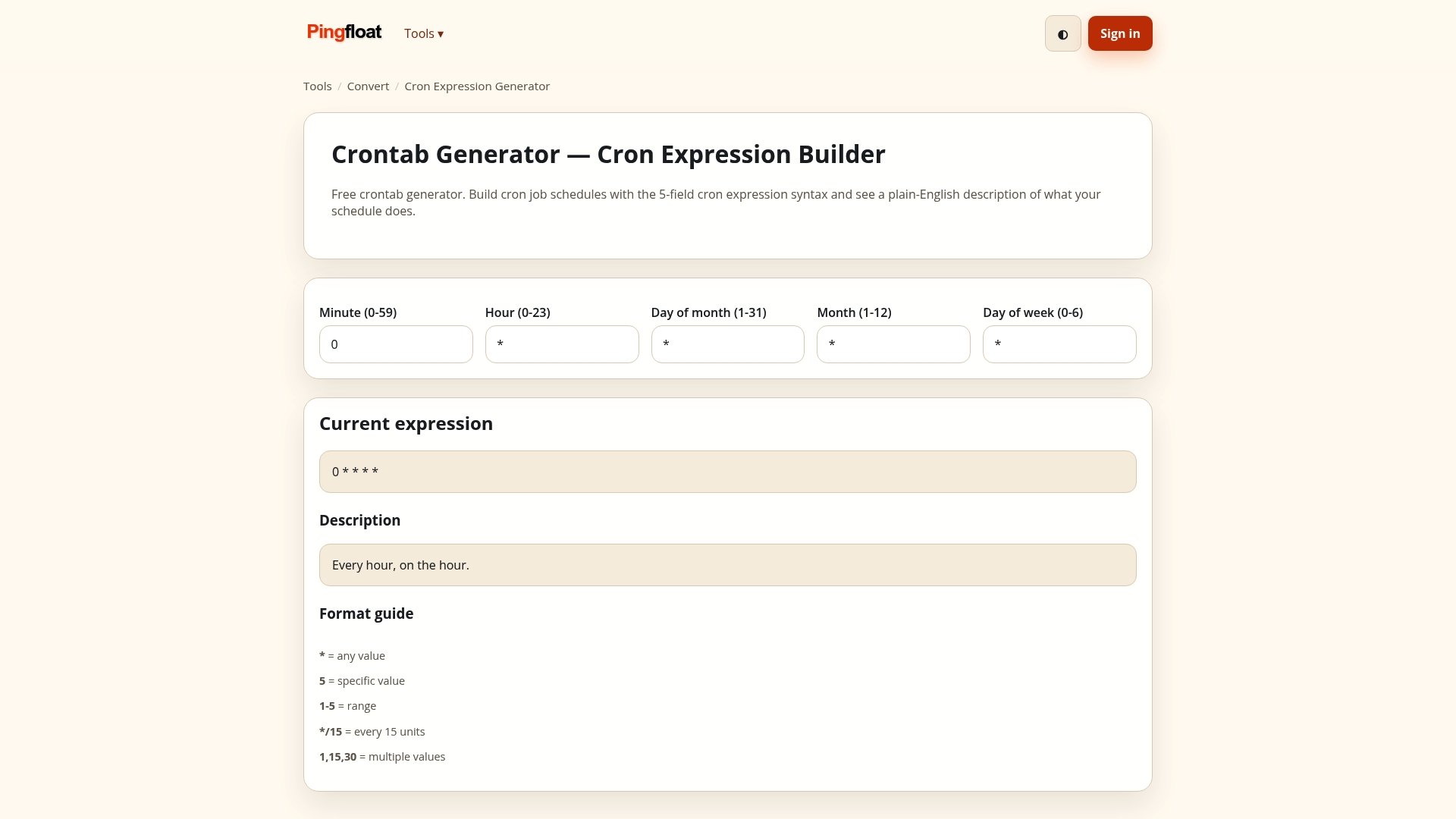
Core tools work without an account. Signing up adds extras such as saved results and scheduled uptime monitoring.
FAQ
How do I get the current Unix timestamp?
Call your language's clock function and read the integer. In Python, int(time.time()) returns seconds. In JavaScript, Math.floor(Date.now() / 1000) does, since Date.now() returns milliseconds. On a Linux or macOS shell, date +%s prints it.
Is a Unix timestamp always in UTC?
Yes, in the sense that it counts from a UTC moment and does not depend on any local zone. The date you see is what changes. Converting with a UTC function gives UTC fields, and converting with a local function applies the machine's zone and its daylight saving rules.
How can I tell whether a timestamp is in seconds or milliseconds?
Count the digits for dates in the current era: about 10 digits is seconds and about 13 is milliseconds. If a converted date lands in 1970 you probably fed seconds into a millisecond parser. If it lands tens of thousands of years ahead, you did the opposite.
Can a Unix timestamp be negative?
Yes. Negative values represent moments before January 1, 1970 UTC. The concept is valid, but library support varies by platform, so test negative inputs on every system you target before relying on them.
What happens to Unix time in 2038?
Systems that store it as a signed 32-bit integer overflow at 03:14:07 UTC on January 19, 2038. Systems using 64-bit integers are not affected in any practical timeframe. Check older databases, embedded devices and file formats for 32-bit fields.
Sources
- time: Time access and conversions, Python documentation
- DSL datetime/timezone functions, Miller documentation
- Unix time, MDN Web Docs glossary
- Date/Time, ICU Documentation
- Time & date: Essential concepts, W3C
- Issue 23946, Python issue tracker
- Study of a 32-bit FreeBSD embedded system, Osaka University
- Year 2038 problem, Wikipedia